


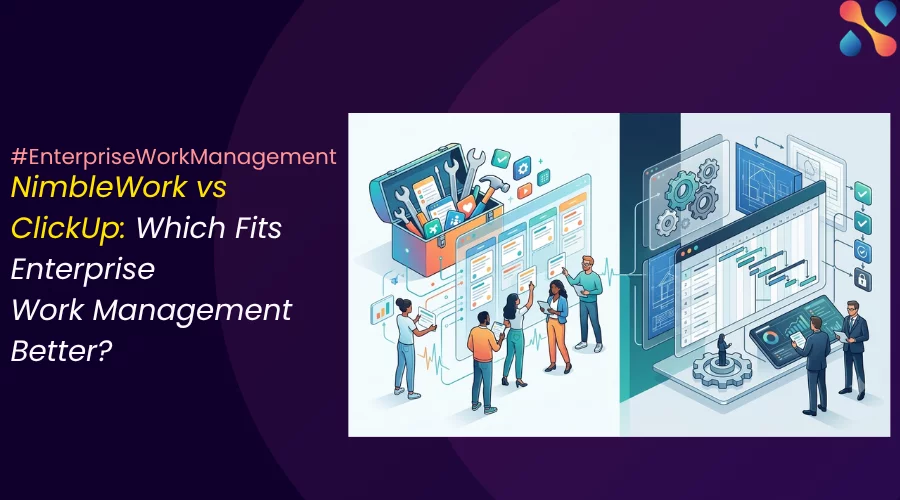
A wrong way to think—which tool has more features?
NimbleWork and ClickUp overlap on tasks, boards, Gantt charts, dashboards, automation, AI, and enterprise controls. So, comparing the tools just on the feature count might not be the right way to go about it..
The more useful question is: What kind of operating model does your organization need the software to support?.
That’s the backdrop for this comparison.
NimbleWork and ClickUp are both capable enterprise work platforms. If you line them up feature by feature you’ll end up with two long lists and no decision. And, that’s the wrong way to think about them.
This is a comparison of governed enterprise delivery versus flexible work consolidation. If you can get that framing right, the decision making gets much easier.
The short answer
- NimbleWork is the stronger fit when a PMO has to control the delivery system: intake, prioritization, hybrid execution, resource capacity, process compliance, and portfolio reporting across teams that work differently.
- ClickUp is the stronger fit when the goal is to consolidate fragmented work apps into one adaptable, broadly adopted workspace — tasks, docs, goals, dashboards, collaboration in one place.
Choose ClickUp when.. | Choose NimbleWork when.. |
The main goal is to replace several work apps with one adaptable workspace. | The main goal is to run a governed portfolio from demand through delivery. |
Fast adoption and a lower entry price matter more than formal PPM depth. | Resource managers need organization-wide demand, capacity, skills, and allocation controls. |
Teams need tasks, Docs, Chat, Whiteboards, dashboards, and many views in one place. | The PMO must connect Agile execution with Waterfall milestones and formal schedules. |
Departments can work within a shared hierarchy but configure local workflows. | Process templates, approval gates, business rules, and portfolio prioritization must be built into the delivery model. |
For smaller teams and simpler use cases, ClickUp’s flexibility and interface are a genuine advantage. Many teams value that ease more than they’d ever use deep portfolio machinery. The rest of this piece is about telling which side of that line you’re on.
A useful mental model
ClickUp is a Swiss Army knife; NimbleWork is the machine shop built for the job.
The Swiss Army knife is versatile and adaptable. You can bend it to whatever shape the moment needs, which is exactly what a fast-moving, cross-functional team wants.

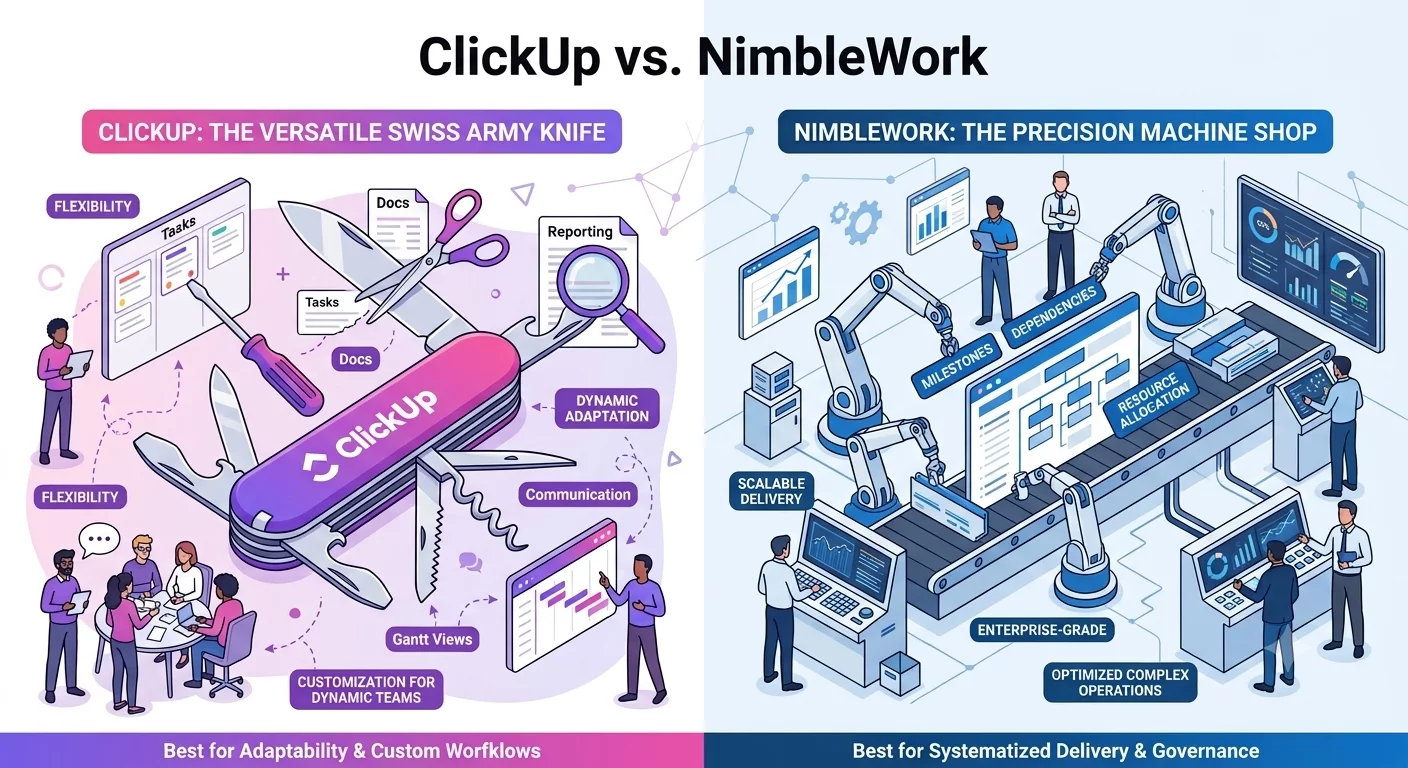
A machine shop is professional-grade equipment. It’s precise, built to run demanding work to spec at scale, and still reconfigurable for the next job, not one rigid production line, but the right machinery set up deliberately for the work.
Neither is ‘better’. They’re built for different jobs, and that difference runs through everything below.
The real bottleneck appears when teams work differently
Consider a company with a creative, software engineering, and a legal team.
Creative wants a visual board. Engineering wants a sprint backlog. Legal wants a controlled timeline with clear approvals. Forcing all three into one identical workflow creates resistance, but allowing every team to invent its own statuses and fields makes portfolio reporting unreliable.
This is a recipe for absolute chaos. Instead of alignment, the creatives feel boxed in, the engineers feel like the system is a toy, and legal, is still just emailing everyone to ask for updates anyway.
Both platforms address this problem, but differently.
✅ ClickUp starts with a flexible hierarchy: Workspace, Spaces, optional Folders, Lists, Tasks, and Subtasks. Teams can create different views over the same work, and a task can appear in multiple Lists without being duplicated. That makes cross-functional coordination practical. ClickUp documents this hierarchy and its Tasks in Multiple Lists capability.
✅ NimbleWork starts with the delivery system. It supports work management and Agile boards, but it also lets an Agile work item feed progress and actuals into a structured task plan. A hybrid task can therefore connect sprint execution to a milestone or higher-level plan without requiring the engineering team to work as if it were running a Waterfall project. Nimble explains that hybrid linkage here.
This is the central distinction: ClickUp gives teams a flexible shared workspace. Nimble gives the PMO a governed delivery model that still accommodates different methods.
ClickUp leads in work consolidation and day-to-day flexibility
ClickUp’s breadth is a real advantage. Tasks, Docs, Chat, Whiteboards, calendars, goals, forms, dashboards, time tracking, and automation sit in one product.
A marketing team can use a board, an operations team can use a List, and a manager can use a Dashboard without maintaining three separate systems.
Its configuration model is also accessible. Teams can adapt statuses, Custom Fields, views, automations, and templates to their own work. This helps ClickUp land quickly in departments that need more structure than spreadsheets but do not want a long PPM implementation.
ClickUp also has credible portfolio and resource features. Portfolio cards can report across Folders and Lists, while Workload view shows capacity over time. Its Business plan includes portfolio workload management, and Enterprise adds permissions, custom roles, SAML SSO, SCIM, audit logs, data residency, and higher automation limits. See ClickUp’s documentation for Portfolio cards, Workload view, and Enterprise controls.
ClickUp is not just a simple task tool. It can support portfolio views, cross-functional programs, and enterprise administration. The question is how much configuration your PMO must design and maintain to make those capabilities behave like a governed portfolio system.
NimbleWork leads in hybrid planning and formal portfolio governance
When delivery complexity is structural, NimbleWork is the hero.
Agile execution can roll into a formal project plan
NimbleWork supports task dependencies, constraints, baselines, milestones, critical-path views, advanced scheduling, and earned-value analysis. Its Hybrid task type links Agile work items to a task plan and derives progress, effort, start dates, and finish dates from the linked execution work.
That matters in programs where product teams run Scrum or Kanban but procurement, compliance, infrastructure, or customer commitments follow fixed stages. The PMO can track the integrated plan without asking every team to use the same method.
ClickUp supports Gantt charts, dependencies, milestones, sprints, and multiple views. It can model a mixed-method program. However, NimbleWork’s edge is that the connection between Agile work and formal scheduling is a native planning construct rather than a configuration pattern the customer must design.
Demand enters a governed portfolio
NimbleWork’s portfolio model covers demand capture, evaluation against business drivers, prioritization, role-based review, and portfolio reporting. The PMO can assess proposed work against criteria such as revenue impact, compliance, customer impact, and cost before it becomes funded delivery. Nimble’s portfolio documentation describes this evaluation model.
ClickUp can build intake with Forms, Custom Fields, automations, Lists, and dashboards. That approach is flexible and sufficient for many PMOs. Nimble is the stronger fit when prioritization, funding decisions, and portfolio governance must follow a repeatable enterprise process rather than a locally configured workflow.
Process controls are part of the product model
Nimble Enterprise includes process templates, configurable forms, approvals, business rules, personas, and organization-level controls. A PMO can encode required stages and artifacts for different project types while still allowing teams to execute with Agile, Waterfall, or hybrid methods. Nimble describes process templates and business rules in its Enterprise product.
ClickUp offers automations, templates, permissions, Custom Fields, and Enterprise governance. It can enforce many of the same operating rules. The difference is emphasis: ClickUp provides configurable building blocks; Nimble provides a more opinionated process-governance layer for PMOs.
Resource planning is the clearest enterprise separation
ClickUp’s Workload view helps managers see assigned work and set capacity limits by person. For departmental planning, agencies, and many cross-functional teams, that may be enough.
Nimble goes further into centralized resource management. Project managers can request people by role, required skills, location, duration, and allocation percentage. Resource managers can review demand across projects, compare it with available capacity, and use score-based matching to find the closest available person or alternate skill set. Nimble documents both its demand-versus-capacity view and score-based team-member allocation.
For a PMO running 80 projects with shared architects, cybersecurity specialists, or regulatory experts, this is not the same as seeing who has too many assigned tasks. The resource manager needs to know which skills will be short next quarter, which project gets priority, and whether an alternate profile can cover the request.
Choose Nimble when that is a core planning problem. Choose ClickUp when workload visibility and team-level balancing cover the requirement.
Both platforms now use agents, but their applications differ
ClickUp’s current AI stack includes Brain, Enterprise Search, AI Fields, AI automations, Notetaker, and Super Agents that can act on work. ClickUp lists its current AI capabilities here.
NimbleWork’s AI is closer to project and work artifacts. Its agents can generate descriptions, tasks, acceptance criteria, BDD scenarios, test cases, and summaries. Smart-Fill recommends field values, AI-Suggest finds similar work, and Intelligent Planning can create a project from uploaded material. Nimble’s AI overview and AI Agents documentation show that focus.
The buying question is not which platform ‘has AI’. It is where you want the AI to work:
- Choose ClickUp when agents need broad access to communication, documents, tasks, and general workflows.
- Choose Nimble when agents need to create and improve structured delivery artifacts inside a governed project model.
Test both with your own data. Agent demos are easy to stage; reliable outputs, permissions, auditability, and human review matter in production.
What verified reviewers say
ClickUp reviewers praise consolidation and flexibility
A G2 reviewer summarized ClickUp’s appeal as bringing ‘tasks, deadlines, project planning, and collaboration into one place’. That matches the most consistent theme across ClickUp reviews: teams value one workspace with many ways to configure and view work. Read ClickUp reviews on G2.
The trade-off is also consistent. A Capterra reviewer wrote that ‘new users can feel overwhelmed by features, settings and customization options’.TrustRadius’s reviewer synthesis similarly flags UI complexity, a learning curve, and occasional performance issues while still rating the product strongly. Read the Capterra review set and TrustRadius review insights.
The practical reading: ClickUp’s flexibility is valuable, but someone must own the workspace architecture. Without naming standards, templates, permissions, and lifecycle rules, customization can become configuration sprawl.
Nimble reviewers praise implementation support but flag the interface
On G2, a verified current user from an IT services company praised Nimble’s “ease of use in a multi user/multilocation environment” and said support was responsive during implementation. That is relevant for distributed enterprise rollouts. Read the NimbleWork review on G2.
The criticism is equally relevant. A Gartner Peer Insights reviewer said the “user interface and ease of navigation could be improved” and described parts of the experience as “sluggish and clunky.” A GetApp reviewer also noted that some configuration changes were complex and could affect performance. Read Nimble reviews on Gartner Peer Insights and GetApp.
The practical reading: Nimble can support complex operating models, but buyers should test everyday usability with project managers and team members—not only portfolio administrators. Its public review sample is small, so customer references in your industry matter more than its headline rating.
How to compare NimbleWork and ClickUp the right way
Evaluation area | ClickUp | NimbleWork | Decision Cue |
Primary operating model | Flexible work consolidation | Governed enterprise delivery | Decide whether consolidation or control is the main problem. |
Work hierarchy | Workspace, Spaces, Folders, Lists, Tasks, Subtasks | Portfolio, programs/projects, task plans, Agile work hierarchies, work items | ClickUp is easier to shape; Nimble is stronger for formal delivery structures. |
Portfolio intake | Forms, Custom Fields, Lists, automations | Demand capture, evaluation, prioritization, portfolio selection | Nimble leads when intake must feed funding and governance decisions. |
Hybrid delivery | Gantt, dependencies, milestones, sprints, configurable workflows | Native linkage between Agile work and formal task plans | Nimble leads for programs combining phase gates with Agile execution. |
Scheduling | Gantt, dependencies, milestones, date remapping | Advanced scheduling, constraints, baselines, critical path, earned value | Nimble fits schedule-led delivery; ClickUp fits lighter planning. |
Resource management | Workload and portfolio workload views, capacity limits | Organization-wide requests, skills, roles, demand vs capacity, scored matching | Nimble fits centralized resource offices. |
Process governance | Templates, automations, permissions, custom roles | Process templates, approvals, forms, personas, business rules | Both can govern work; Nimble is more opinionated. |
Collaboration | Docs, Chat, Whiteboards, comments, assigned comments | Work Hub, boards, comments, Nimble Cafe, Microsoft Teams and Slack integrations | ClickUp leads for native collaboration breadth. |
Reporting | Dashboards, Portfolio cards, goals, workload, sprint reports | Project and portfolio analytics, schedule and earned-value views, role-based dashboards | Test the exact executive report rather than comparing labels. |
AI | Brain, search, Notetaker, AI Fields, automations, Super Agents | Delivery agents, Smart-Fill, AI-Suggest, Intelligent Planning, Intelligent Hub | ClickUp is broader; Nimble is more delivery-specific. |
Adoption model | Self-serve start; governance still needs design | More deliberate PMO-led setup | ClickUp usually lands faster. Nimble needs process ownership. |
Pricing favors ClickUp at entry; total cost depends on what you replace
ClickUp is priced as an accessible, adoption-led commodity: a genuinely usable free tier, a low per-seat entry, and AI billed on top.
Plan | ClickUp | NimbleWork |
Free | $0 | $0 — up to 10 users, 10 projects |
Entry paid | Unlimited, $7/user/mo (billed annually) | Team, from $10/user/mo |
Mid tier | Business, $12/user/mo (billed annually) | Business, $26/user/mo |
Top tier | Enterprise, custom | Enterprise, custom |
AI | ClickUp Brain, paid add-on (~$7/user/mo; or standalone $9, $28 for “Everything AI”) | Modular add-ons (AI Agents ~$3/user/mo, Smart-Fill, OKRs, extra automation); core AI included at Enterprise |
NimbleWork sits higher at the mid-tier, but the seat price carries more of the enterprise delivery system with it — hybrid scheduling, portfolio governance, resource capacity — plus native financial tracking (fixed-fee, time-and-materials, budget-versus-actuals).
For a professional-services or delivery-heavy org, that bundling often offsets the difference, because you’re not also buying a separate PPM or project-financials tool. Both keep AI modular rather than baked into every plan. But NimbleWork folds it in at the Enterprise tier.
Don’t think about the pricing and ask what’s the ‘cheaper alternative’. It’s about the same operating-model question in dollars: pay less per seat and add tools around ClickUp as you grow, or pay more per seat for a system that already includes the governance and financial machinery a complex portfolio needs.
Run a proof of concept against six enterprise scenarios
Do not let either vendor control the demo script. Give both the same scenarios and the same sample data.
- Demand intake: Submit an initiative with a business case, expected benefit, risk, and required skills. Route it for review.
- Portfolio decision: Rank ten initiatives against a fixed budget and two scarce roles. Show what gets deferred and why.
- Hybrid program: Link Waterfall milestones to Agile epics and sprints. Change one sprint forecast and show the effect on the program plan.
- Resource conflict: Two priority projects need the same architect. Compare allocation options and show demand versus capacity for the next quarter.
- Governance gate: Prevent execution until the business case, security review, and steering approval are complete.
- Executive report: Produce portfolio health, milestones, risks, budget, capacity, and forecast without manually rebuilding the data in a spreadsheet.
Score usability separately for the PMO director, project manager, resource manager, team member, and executive. A platform can satisfy the administrator and still fail the people updating work every day.
Final verdict
Choose ClickUp if your priority is one configurable workspace for tasks, documents, communication, dashboards, and automation. It offers strong value, broad collaboration, and faster departmental adoption. Plan the workspace architecture early, because its flexibility needs governance at enterprise scale.
Choose Nimble if your PMO must govern complex work across demand, formal schedules, Agile execution, scarce skills, approval gates, and portfolio reporting. Expect a more deliberate implementation and test the day-to-day interface with real users.
The decision is not ‘Which tool has more features?’. It is ‘Which operating model would be harder for us to build and maintain ourselves?.
See how Nimble handles hybrid portfolio governance at scale.
Common FAQs on NimbleWork vs ClickUp
Is ClickUp suitable for an enterprise PMO?
Yes. ClickUp has Portfolio cards, dashboards, workload management, enterprise permissions, SAML SSO, SCIM, audit logs, data residency, and large automation limits. It fits PMOs that value configurability and broad adoption. PMOs with formal demand governance, advanced hybrid scheduling, and centralized skills-based allocation should test whether ClickUp’s configurable model is deep enough without additional systems.
Is NimbleWork only for Agile teams?
No. Nimble supports work management, Agile, Waterfall scheduling, and hybrid delivery. Its Hybrid task type links Agile work items to a structured task plan so sprint execution can roll into formal milestones and schedules.
Which platform is easier to adopt?
ClickUp usually offers the faster self-serve start and a more modern collaboration surface. NimbleWork benefits from PMO-led design, templates, roles, and implementation support. For either platform, enterprise adoption depends on clear naming, ownership, training, and governance.
Which tool handles resource capacity better?
ClickUp provides Workload views and capacity limits that work well for team and portfolio workload balancing. NimbleWork goes deeper for centralized resource management with formal requests, skills, roles, location, allocation percentage, demand-versus-capacity views, and score-based matching.
Which tool has better AI?
It depends on the job. ClickUp’s AI covers a broad workspace across tasks, Docs, Chat, search, meetings, automations, and agents. Nimble AI focuses more tightly on project and delivery artifacts such as plans, work-item fields, acceptance criteria, tests, summaries, and related-work recommendations.
How should buyers interpret the review scores?
Use them as directional evidence. ClickUp has thousands of public reviews, so recurring themes carry more weight. NimbleWork has a much smaller public sample, so buyers should request customer references that