


Overview
Enterprise PMO software is a platform that gives project management office centralized visibility, governance, and control across a portfolio of projects — enabling resource management, methodology standardization, financial tracking, and strategic alignment across multiple teams and business units
Introduction
As an enterprise PMO you are not shopping for another task manager.
You’re probably trying to fix portfolio blind spots, reporting overhead, and delivery inconsistency across programs, projects, teams, and stakeholders. That is usually the point when spreadsheets, disconnected tools, or team-level project management software stop being enough.
Leadership wants a function that connects delivery to strategic outcomes, surfaces capacity constraints before they become delays, and gives executives a real-time view of portfolio health without requiring a 48-hour report consolidation exercise.
The tooling most PMOs are running on wasn’t built for that. Status reports are still being assembled manually in PowerPoint. Resource allocation still lives in a spreadsheet that’s three days out of date. Engineering runs Agile, operations runs waterfall, and there’s no unified view connecting them to the same program timeline.
The tool that was selected when the PMO had 8 people and 12 projects doesn’t scale to 200 people and 60 concurrent workstreams.
According to PMI’s 2025 Pulse of the Profession, only 18% of project professionals currently demonstrate high business acumen. PMOs that can’t connect delivery data to strategic decision making are at risk of being sidelined.
Hence, this guide. It is written for PMO directors, heads of delivery, and portfolio managers who are building a shortlist or making a final tool recommendation. It evaluates 9 platforms specifically for enterprise PMO use — portfolio governance, cross-functional visibility, resource management, and hybrid delivery — not for individual teams or simple task tracking. At the end, there’s a downloadable Enterprise PMO Software Readiness Checklist where you start vendor conversations.
But before evaluating specific platforms, it’s worth knowing why ‘enterprise PMO software’.
What separates Enterprise PMO software from regular project tools
Monday, Asana, and ClickUp all market to PMOs. But none of them are enterprise PMO platforms. They’re team-level work management tools with portfolio features added on.
The distinction matters because buying the wrong tier of tool creates a specific kind of failure: the PMO gets visibility at the team level but not the portfolio level, resource management stays in spreadsheets, governance standardization remains inconsistent, and leadership reporting is still manual.
Here’s what actually separates the two categories:
| Capability | PM tools | Enterprise PMO software |
| Project visibility | Single project or team view | Portfolio-level across all projects and programs |
| Resource management | Task assignment, basic workload | Capacity planning, skill matching, utilization forecasting |
| Governance | Workflow customization | Standardized templates, stage gates, audit trails |
| Financial tracking | Budget field on a task | Project costing, budget vs. actuals, financial forecasting |
| Methodology support | Usually one method per workspace | Agile, waterfall, hybrid — across different teams simultaneously |
| Reporting | Dashboard per team | Executive portfolio dashboards, stakeholder specific views |
| Strategic alignment | Goal tracking | OKR/strategy mapping to project portfolio |
The question for a PMO leader evaluating software isn’t ‘which tool has the most features’. It’s ‘which tool gives our PMO the governance depth we need, at a complexity and cost level our organization can actually operate’.
Use the enterprise PMO software readiness checklist at the end of this guide to score vendors against criteria specific to your PMO’s situation.
Know your PMO maturity before you shortlist
A PMO formalizing its governance for the first time needs something fundamentally different from an established enterprise EPMO managing 80 concurrent projects. Choosing a tool above your current maturity level means a 6-month implementation for capabilities you won’t use for two years. Choosing below it means hitting the ceiling inside 18 months.
Emerging PMO (0–3 years, 10–30 projects)
Just formalizing governance. Key needs: standardized templates, project intake process, basic portfolio visibility, and reporting to leadership. Priority at this stage is adoption — a complex platform that nobody uses is worse than a simpler one that gets embedded.
Best fit: Wrike, Smartsheet,
Scaling PMO (3–7 years, 30–100 projects)
Has governance foundations but hitting specific ceilings: cross-team resource visibility, financial tracking, methodology consistency across business units. Genuine resource capacity planning, financial management, hybrid methodology support, and portfolio dashboards that don’t require manual assembly are key needs here.
Best fit: Nimble, Celoxis, Microsoft Project (in Microsoft ecosystems).
Mature EPMO (7+ years, 100+ concurrent projects)
Managing strategic portfolio alignment at executive level. Needs scenario planning, what-if capacity modeling, deep financial governance, integration with ERP/HRIS systems.
Best fit: Planview Enterprise One, ServiceNow SPM (in ServiceNow ecosystems), Oracle Primavera P6 (in capital-intensive industries), Triskell. Each tool in this guide includes a maturity fit indicator so you can filter quickly.
Each tool in this guide includes a maturity fit indicator so you can filter quickly.
Top enterprise PMO platforms at a glance
| Tools | Best for | Pricing |
| Planisware | Large enterprises R&D-intensive, product development, engineering, and life sciences industries managing complex multi-project portfolios. | Custom |
| Nimble | Enterprise PMOs who manage complex, cross-functional portfolios with 100–1,000 people running hybrid delivery across Agile, Kanban, and waterfall teams. | From $10/user/month. Business from $26/user/month. Enterprise custom. 30-day free trial available. |
| MS Project | Enterprises already deeply invested in the Microsoft 365 ecosystem that need structured project scheduling, resource management, and portfolio reporting | From $10/user/month; paid yearly. Planner and Project plan 3 from $30/user/month. Paid yearly. Project Server (on-premise) custom. |
| Planview Enterprise One | Large enterprise PMOs managing strategic portfolio alignment across hundreds of concurrent projects | Custom. |
| Wrike | Cross-functional PMOs managing creative, marketing, and operational delivery alongside technical projects. | Free for ≤5 users. Team from $10/user/month. Business $25/user/month. Enterprise and Pinnacle: custom. |
| Smartsheet | PMOs where stakeholders are comfortable in spreadsheet-based interfaces and where the priority is transitioning from Excel-based project tracking to a structured, scalable platform. | Pro from $9/user/month. Business $19/user/month. Enterprise and Advanced Work Management: custom. |
| ServiceNow | Large enterprises that already run ServiceNow for IT Service Management and want to extend portfolio management within the same platform. | Custom |
| Oracle Primavera P6 | PMOs in capital-intensive industries managing complex multi-year projects where cost control, earned value management, and regulatory compliance are non-negotiable. | Subscriptions from $100–$200 per user/month with 12–25 user minimum. Enterprise custom pricing. |
| Triskell software | PMOs that need adaptable PPM with strong strategic alignment features and genuine support for mixed methodologies. | 14-day free trial available via the Triskell website. Customized enterprise pricing. |
The 9 best enterprise PMO software platforms
1. Planisware Enterprise
Best for
Large enterprises and mature EPMOs in R&D-intensive, product development, engineering, and life sciences industries managing complex multi-project portfolios where strategy, finance, resources, and delivery schedules must be integrated in a single system.
PMO maturity fit: Mature EPMO

Core strengths
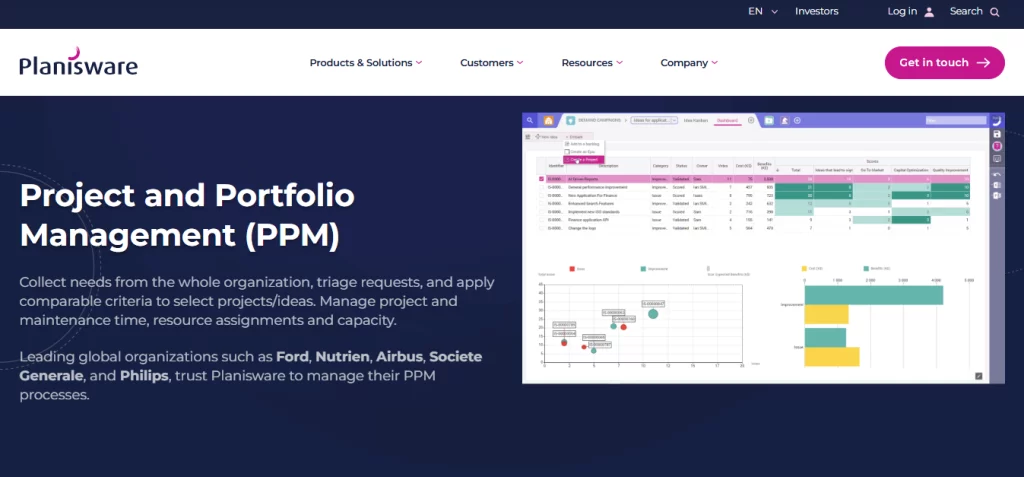
Planisware brings together budgets, forecasts, schedules, resources, and actuals at the enterprise level in a unified data model. And, it facilitates scenario planning by allowing users to model different project scenarios and assess their impact on resources, budgets, and timelines, aiding in informed decision-making.
Capacity planning, resource scheduling, and time tracking are native — and operate across the full portfolio, not just within individual projects. Along with resource management, Planisware’s financial management layer is more mature than most competitors.
The tool integrates with multiple outside systems like SAP and connects with ERP, CRM, PLM, HR, and BI systems through APIs, ensuring smooth data flow and unified enterprise information. For large enterprises where project data needs to connect to financial and HR systems of record, this is a genuine strength.
Planisware AI agents offer personalized, context-aware guidance, automate reporting and scheduling, perform tasks, execute workflows, answer user questions, and validate project data.
Possible trade-offs
Users classify the system as neither intuitive nor user-friendly, making adoption and acceptance challenging. The biggest hurdle is taking the out-of-the-box software and aligning it with highly customized processes within the business. For mid-market PMOs or Agile-first organizations, the complexity and cost will outpace the return.
Pricing
Customized pricing. Pricing is determined through direct consultation. No public per-seat pricing is published.
2. Nimble (by NimbleWork)
Best for
Enterprise PMOs who manage complex, cross-functional portfolios with 100–1,000 people running hybrid delivery across Agile, Kanban, and waterfall teams. For teams who need portfolio visibility, resource management, and methodology flexibility in one platform without the implementation overhead of legacy PPM tools.
PMO maturity fit: Mature EPMO

Core strengths
There’s a specific gap in the enterprise PMO software market that Nimble was built for. It is the space between team-level Agile tools (which give good sprint visibility but no portfolio layer) and legacy enterprise PPM platforms (which have governance depth but require 6-month implementations and dedicated platform admins).
Most organizations in the 100–1,000 person range sit squarely in that gap — they’ve outgrown Monday or Jira for portfolio management, but they don’t have the internal capacity or budget to operate Planview.
What Nimble delivers:
Portfolio and program management
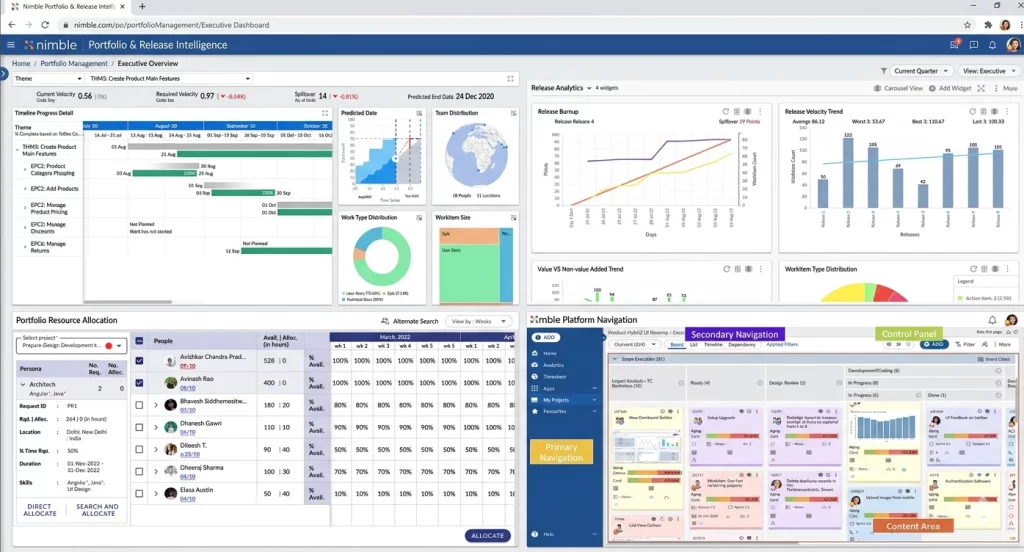
Cross-project dashboards, release tracking, and program level visibility are native to the platform — not bolted on as an add-on tier. PMO leaders get a real-time view of portfolio health, status, and dependencies without building a separate reporting layer.
For organizations running multiple programs simultaneously, the ability to roll up from team boards to program dashboards to portfolio views in one platform is the defining capability.
Hybrid methodology support
Engineering teams can run Scrum sprints, Kanban boards for operations and PS, and waterfall phase-gate projects for structured delivery — all managed within the same portfolio view. The PMO gets unified visibility without forcing every team onto the same methodology. This is the most common capability gap that drives PMOs away from Jira (Agile-only) and Monday (methodology-agnostic but shallow).
Resource management with skill-based matching
Capacity planning, utilization tracking, and skill-based resource allocation are built in. When a new project is initiated, the system can surface available resources who have the right skills and past project experience — not just who has open hours.
For PS organizations and IT delivery teams managing people across multiple concurrent projects, this is the difference between genuine resource management and a color coded spreadsheet.
Governance and standardization
Project intake workflows, standardized templates, stage-gate support, and escalation paths allow the PMO to define how work gets initiated, approved, and tracked across the organization. Governance doesn’t require an admin to manually enforce it — it’s embedded in how the system works.
AI capability
Nimble AI auto-populates work items, surfaces similar past projects during planning, and identifies patterns in delivery data that help PMs make better estimates and identify risks earlier
Possible trade-offs
Deep “what-if” scenario planning and capacity modeling at the enterprise scale that Planview provides is not yet Nimble’s primary strength — organizations needing that level of strategic simulation may outgrow it at the top of the Scaling maturity level. Initial setup benefits from a dedicated admin or professional services engagement. Teams of fewer than 30 people may find the governance structure more than they need at the start.
Pricing
Team pricing from $10/user/month. Business from $26/user/month. Enterprise custom. Free trial available.
3. Microsoft Planner (+project)
Best for
Enterprises already deeply invested in the Microsoft 365 ecosystem that need structured project scheduling, resource management, and portfolio reporting — and where the value of staying within the ecosystem outweighs the limitations of the tool itself.
PMO maturity fit: Scaling → Mature

Core strengths
Microsoft Planner’s core strength is scheduling.
Gantt charts with dependency management, critical path analysis, and resource leveling are mature capabilities that have been refined over decades. For organizations managing structured, waterfall-heavy project portfolios, the scheduling depth is genuine.
The integration with Power BI transforms basic project data into executive-level portfolio reporting dashboards — one of the more compelling enterprise reporting capabilities on this list.
The Microsoft ecosystem advantage is the most significant value driver. Organizations running Teams, SharePoint, and Excel as their operational infrastructure get a natural integration layer that no third-party tool can fully replicate. If your organization is already in M365 and your teams live in Teams, the friction of adding Microsoft Project is minimal..
Possible trade-offs
The interface feels dated in 2026, especially Microsoft Project (desktop). Though Project for the Web is more modern. The learning curve is steep. Integrations outside the Microsoft ecosystem are a genuine weakness. Methodology flexibility is limited — it’s designed for waterfall/structured delivery and retrofits Agile awkwardly. Cost escalates significantly with Project Server for enterprise portfolio features
Pricing
Planner Plan 1 from $10/user/month. Planner and Project plan 3 from $30/user/month. Paid yearly. Project Server (on-premise) custom.
4. Planview Enterprise One
Best for
Large enterprise PMOs managing strategic portfolio alignment across hundreds of concurrent projects with complex resource, financial, and capacity governance requirements at organizational scale.
PMO maturity fit: Mature EPMO

Core strengths
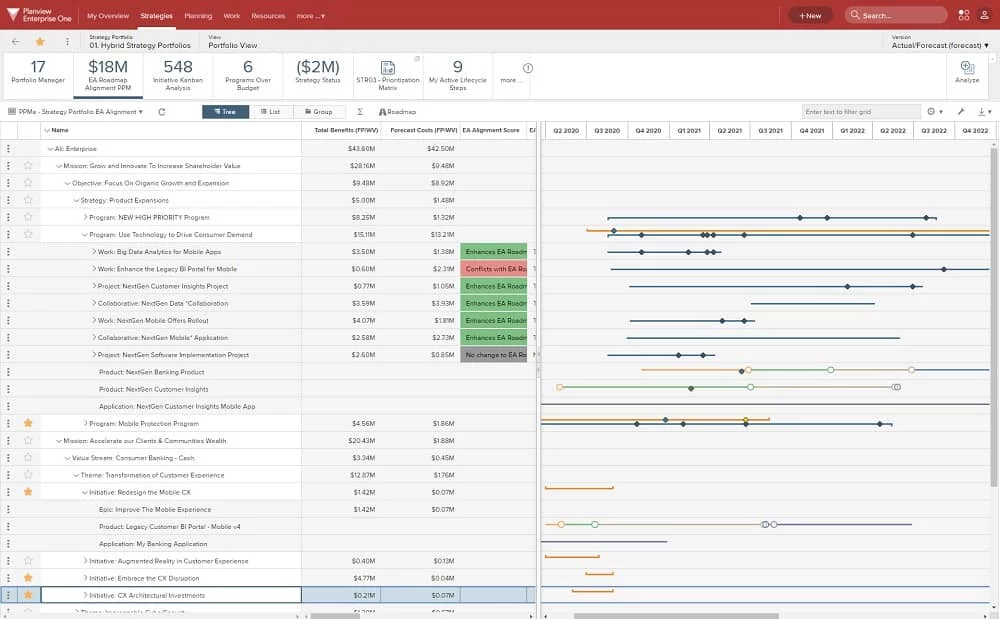
Planview Enterprise One is one of the most comprehensive platforms on this list. It operates at the intersection of strategic planning and project delivery.
It connects organizational investment decisions to portfolio execution in a way that no mid-market tool can match. The capacity planning module supports demand forecasting and what-if scenario modeling: if we take on this new program, which existing commitments do we need to de-prioritize? What does the resource impact look like across the next two quarters?
These are questions that matter at the EPMO level and that other tools simply cannot answer with the required data fidelity. It supports Agile, Lean, waterfall, and hybrid delivery across enterprise teams, with strategic alignment features that map project portfolios to OKRs and business outcomes. Financial governance tracks project costs, budgets, and portfolio ROI at the level that a CFO would require.
Possible trade-offs
The implementation timeline is real. Expect 3–6 months with professional services involvement. It’s expensive, and the interface is not intuitive relative to that cost. Genuine overkill for organizations under 500 people or PMOs managing fewer than 50 concurrent projects. The complexity of configuration means you need dedicated platform administrators.
Pricing
Enterprise custom pricing only. Requires direct vendor engagement.
5. Wrike
Best for
Cross-functional PMOs managing creative, marketing, and operational delivery alongside technical projects — where workflow automation, standardized project intake, and cross-team visibility matter more than deep Agile methodology support or financial governance.
PMO maturity fit: Emerging → Scaling PMO

Core strengths
Wrike’s strongest PMO-specific feature is the dynamic request form system, which standardizes how new projects are initiated.
By automatically routing requests, capturing required information, and assigning ownership, Wrike helps teams create projects efficiently. For PMOs struggling with ad-hoc project initiation (“someone just Slacked me asking us to run a project and there’s no brief”), this is a meaningful governance lever that doesn’t require heavy configuration.
Cross-project reporting and portfolio dashboards give PMO leaders visibility across workstreams. The AI Work Intelligence module identifies project risks and automates task prioritization. Advanced Gantt charts with dependency tracking handle complex project schedules well, and the platform’s cross-departmental flexibility makes it useful for PMOs overseeing non-technical delivery.
Possible trade-offs
Resource management depth is below Planisware or Nimble— capacity planning is functional but not deep. Agile/Scrum support is weaker than dedicated Agile tools. Pricing escalates meaningfully for enterprise security features and advanced analytics. The interface can feel cluttered when managing a large number of concurrent projects. Lack of mobile views is also another concern from Wrike’s users.
Pricing
Free for ≤5 users. Team from $10/user/month. Business $25/user/month. Enterprise and Pinnacle: custom.
6. Smartsheet
Best for
PMOs where stakeholders are comfortable in spreadsheet-based interfaces and where the priority is transitioning from Excel-based project tracking to a structured, scalable platform with minimal adoption friction.
PMO maturity fit: Emerging → Scaling PMO

Core strengths
Smartsheet’s PMO-specific strength is Control Center. It’s a feature that scales consistent project structures, templates, and dashboards across departments from a central configuration.
For PMOs trying to standardize governance across business units that have historically managed projects independently, Control Center is a meaningful tool: new projects can be provisioned from templates, inheriting the right structure, reporting views, and stakeholder access automatically.
The spreadsheet interface, while sometimes seen as a limitation, is actually an adoption advantage in organizations where team members are resistant to learning new tools. Smartsheet is the most familiar-feeling enterprise tool on this list for Excel users. Integration with Power BI and Tableau enables sophisticated executive reporting from project data.
Additionally, Smartsheet is strong in grid‑based project tracking, Gantt‑style views, and lightweight workflow automation useful for PMOs.
Possible trade-offs
Resource management is limited. Utilization tracking exists, but capacity planning and skill-based matching aren’t native capabilities. Agile/Scrum methodology depth is shallow. The spreadsheet metaphor that drives adoption also constrains governance sophistication at higher maturity levels. AI features are enterprise-tier only.
Pricing
Pricing starts with Pro from $9/user/month. Business $19/user/month. Enterprise and Advanced Work Management: custom.
7. ServiceNow Strategic Portfolio Management
Best for
Large enterprises that already run ServiceNow for IT Service Management and want to extend portfolio management within the same platform — connecting project delivery to IT service governance, organizational change, and business capability management.
PMO maturity fit: Mature EPMO
Core strengths
ServiceNow SPM’s value proposition is ecosystem depth, not standalone PM capability.
If your organization runs ServiceNow for ITSM, HR Service Delivery, and IT Operations Management, adding SPM gives the PMO a layer that connects project demand to organizational change, resource capacity to service commitments, and investment decisions to business outcomes — within a single data model.
That integration value is not replicable by any standalone PPM tool. The demand management module captures and prioritizes incoming project requests against strategic capacity — a genuine enterprise governance capability. Financial management covers investment planning, budget tracking, and scenario analysis. Outcome tracking connects project delivery to business capability realization, not just milestone completion.
User reviews show appreciation for extensive range of features, including incident management, change and problem management which streamline IT operations.
Possible trade-offs
Only genuinely compelling if you’re already in the ServiceNow ecosystem. Buying ServiceNow SPM as a standalone PMO tool is expensive and over-engineered for organizations that don’t have the broader platform. Complex to implement and configure. Daily PM usability can feel heavy for team members doing operational work.
Pricing
Custom pricing only.
8. Oracle Primavera P6
Best for
PMOs in capital-intensive industries like construction, engineering, energy, infrastructure, and aerospace. They manage complex multi-year projects where precise scheduling, cost control, earned value management, and regulatory compliance are non-negotiable.
PMO maturity fit: Mature EPMO (specialist)

Core strengths
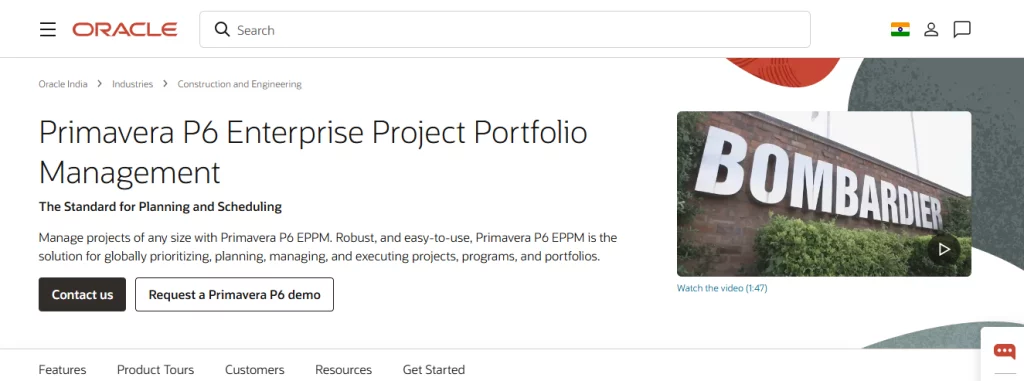
Oracle Primavera P6 has no peer for the specific use case it serves. Managing a $2 billion infrastructure program with 50,000 scheduled activities, regulatory milestone commitments, and a team of 3,000 people distributed across multiple contractors requires scheduling precision and cost governance that no other tool on this list can match.
The critical path management, resource-loaded scheduling, and earned value management (EVM) capabilities are industry leading for project environments of this complexity.
Monte Carlo risk analysis and integrated risk registers give PMOs quantitative tools for schedule and cost risk assessment; the capabilities that matter when regulatory bodies or public authorities are stakeholders in delivery.
Possible trade-offs
This is not a tool for knowledge work, software delivery, or cross-functional organizational PMOs. The learning curve is extremely steep. Implementation is a significant undertaking. The UI is dated. If you’re not in a capital-intensive industry managing multi-year, multi-billion-dollar programs, Oracle Primavera P6 is the wrong tool — and there’s no close second for those who are.
Pricing
Primavera cloud pricing subscriptions historically $100–$200 per user/month with 12–25 user minimums (e.g., P6 EPPM at $125/user/month). Enterprise custom. Professional services and implementation costs are substantial.
9. Triskell Software
Best for
PMOs that need adaptable PPM with strong strategic alignment features and genuine support for mixed methodologies — particularly useful for organizations running waterfall, Agile, and hybrid delivery simultaneously and needing to connect portfolio investment decisions to business outcomes.
PMO maturity fit: Scaling → Mature

Core strengths
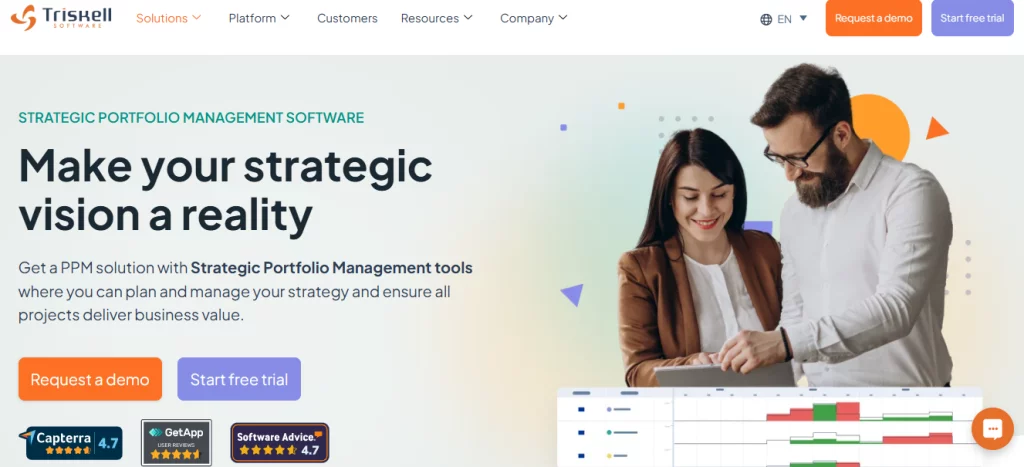
Triskell’s standout capability is methodology adaptability combined with strategic alignment depth. Unlike tools that nominally support multiple methodologies but are clearly optimized for one, Triskell provides genuine governance for waterfall, Agile, and hybrid delivery.
It gives appropriate tooling for each methodology too; be it stage-gate management for structured projects, backlog and sprint management for Agile, or portfolio views that aggregate all of them.
The strategic investment alignment feature connects project portfolio decisions to business goals and OKRs — enabling PMO leaders to show not just delivery status but portfolio value realization. Capacity planning and demand management across the portfolio give PMO leaders the data to prioritize incoming requests against actual capacity.
Possible trade-offs
Configuring the tool is quite complex and needs advance technical help from admin. Less brand recognition than others on this list — which matters for stakeholder buy-in in the vendor evaluation process. Implementation requires meaningful investment to get the governance structure right. Pricing is enterprise-tier and requires vendor engagement. The tool is a bit clunky and the UI is functional but not modern by 2026 standards.
Pricing
14-day free trial available via the Triskell website. Customized enterprise pricing.
Which enterprise PMO platform fits your use case?
| If your PMO team is… | Best fit | Why? |
| Formalizing governance, 10–30 projects, adoption speed critical. | Wrike or
Smartsheet |
Lower implementation overhead; faster to value; familiar interfaces. |
| Mid-market to enterprise, hybrid delivery, portfolio + resource management without legacy complexity. | Nimble | Best balance of governance depth, methodology flexibility. |
| PS/services org, financial tracking + timesheets + resource management are primary needs. | Nimble or Wrike | Both have native financial tracking; Nimble stronger on Agile. |
| Microsoft 365 organization, structured delivery, ecosystem integration non-negotiable. | Microsoft Project | Integration value is real; accept the interface and learning curve limitations. |
| Large EPMO, 50+ projects, strategic alignment + what-if scenario planning needed. | Planview or Triskell | Enterprise governance depth; budget for implementation complexity |
| ServiceNow organization, connect PM to ITSM and business capability. | ServiceNow SPM | Only makes sense inside the ServiceNow ecosystem. |
| Construction, engineering, energy —complex scheduling, EVM, regulatory compliance | Nimble or Oracle Primavera P6 | No comparable tool for this specific industry and complexity level. |
Enterprise PMO software readiness checklist
Before you start a vendor demo process, the most valuable thing you can do is get clarity on what you actually need — not what sounds impressive in a product video.
The questions that separate a useful evaluation from a waste of three months: What is your PMO’s current maturity level? What specific gaps is the tool expected to close in the next 12 months? What does success look like at 90 days, and at 12 months? Who are the stakeholders in the buying decision and what are their individual non-negotiables? What’s the realistic implementation capacity available internally?
The Enterprise PMO Software readiness checklist gives you a structured framework to answer these questions — and a consistent scoring mechanism to evaluate vendor responses.
Conclusion
The right enterprise PMO software will match your current maturity level, close the specific governance gaps your PMO is accountable for, and can be implemented at your organization’s actual capacity.
If you’re between the team-task-manager tier and the legacy enterprise PPM tier, the shortlist narrows quickly.
- For most mid-market running hybrid delivery, Smartsheet is the strongest option in that space.
- For organizations with deeper financial governance needs, add Wrike to the comparison.
- For mature EPMOs managing strategic portfolio alignment at scale, the conversation starts with Nimble.
Download the Enterprise PMO Software Readiness Checklist— complete it before your first vendor demo and use it to score every tool consistently.
Book a 30-minute Nimble PMO demo. Bring your specific PMO challenges and we’ll show you exactly how the tool addresses them.