



Overview
You’re probably not choosing your first project management tool. You’re using something. Maybe Jira, Monday, Asana, or Smartsheet, and you’re feeling the friction.
What changed?
- Team has grown.
- Work became cross-functional (engineering + delivery + ops)
- Projects now run in parallel, not isolation
- Leadership asks for portfolio-level visibility
- Resource allocation moved outside the tool into spreadsheets
- Costs started creeping up through add-ons
The tool that worked fine at 20 people is starting to show its ceiling at 100.
You looked at upgrading your current tool and found the feature you need is an expensive add-on, on top of a price you’re already paying. Teams don’t fail from having no tools. They fail from having the wrong ones, or poorly integrated ones that don’t grow with them.
This guide is written for PM directors, PMO leads, VPs of Engineering, and Heads of Delivery at companies of 50–1,000 people who are building a real shortlist. It’s not a directory of every tool that exists.
The shortlist is organized by who each tool is actually for. There’s a decision framework to help you narrow the field, and a downloadable PM software evaluation checklist for running a structured side-by-side comparison.
What to evaluate before you shortlist (the decision framework)
Before you put tools into a trial, there are five questions worth answering for your team. The answers will eliminate most tools from contention before you’ve opened a single demo.
1. What’s your team’s primary delivery methodology?
Mid-size teams rarely run pure anything. Some squads are Agile, some projects are waterfall, some operational work runs on Kanban. If your current tool forces you to pick one methodology and retrofit the others, that’s a ceiling, not a configuration problem.
Not every tool handles this honestly. Jira is Agile-native and retrofits waterfall awkwardly. Monday is methodology agnostic but shallow on Agile specifics. NimbleWork is explicitly built for hybrid delivery. Know which camp you’re in before you shortlist.
2. Do you need visibility above the team level?
Portfolio management, program-level dashboards, cross-project resource views, OKR alignment— most tools in the $7–$12/seat range don’t do this natively. The question isn’t whether you need it today. It’s whether you’ll need it in 12 months, because retrofitting portfolio visibility into a tool that wasn’t designed for it is expensive and disruptive.
3. Who manages resources, and how?
If resource allocation is happening in a spreadsheet alongside your PM tool, that’s a gap. Native resource management — with skill matching, capacity views, and utilization tracking — exists in far fewer tools than you might think. When you trial a tool, ask specifically: show me how you do capacity planning across five concurrent projects. That question separates genuine resource management from a team member field on a task card
4. What’s the real cost of your tool?
Sticker price rarely tells the full story. List the features your team specifically needs: Portfolio / dashboards, timesheet management, advanced reporting, SSO, API access, resource planning. Then check which pricing tier includes each one. A tool at $10/seat that requires $15/seat in add ons is a $25/seat tool. Run that calculation and know your TCO at your team size before you compare headline prices
5. What does adoption look like at your team size?
A 10-person team can absorb a steep learning curve over a few weeks. A 200-person organization deploying a new PM tool is an organizational change event. It needs a rollout plan, training, a champion, and a migration path from the current tool. When you evaluate vendors, ask specifically about their implementation support: is there a customer success team, or just documentation? What does a typical rollout look like for a team your size?
Use the PM Software Evaluation Checklist to score tools against these questions consistently.
Best 11 Project Management software (organized by tiers)
Most “best PM software” lists present every tool identically, leaving the reader to figure out which one is for them. This guide is organized by buyer profile. Find the tier that describes your team, and start there.
Tier 1: For large and PPM focused enterprises with complex project environments
These tools are built for large organizations managing portfolios of projects with complex resource, financial, and governance requirements. They require dedicated admin and implementation investment. So, plan accordingly.
1. Nimble (by NimbleWork)
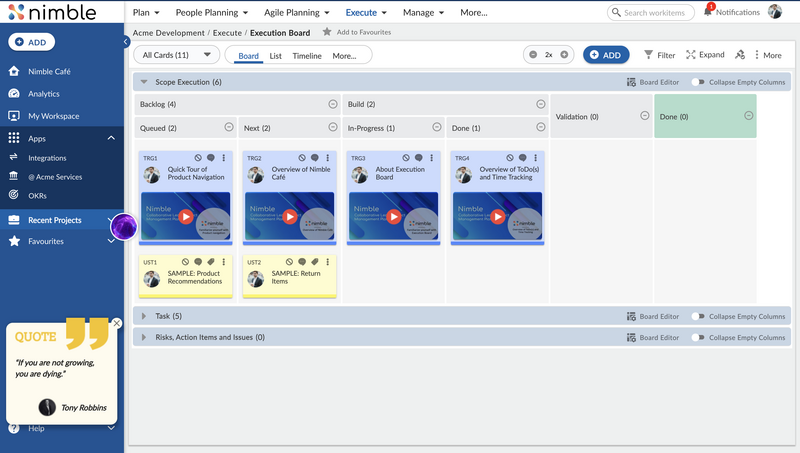
Nimble is the enterprise project and work management platform for PMOs and delivery leaders who need cross- project visibility without forcing every team onto one methodology.
Best for: Product organizations, IT services teams, and professional services firms at 50–500 people running hybrid Agile/Kanban delivery that need portfolio-level visibility and resource management without buying three separate tools to get there.
Nimble is for you if you’re on Jira and hitting the portfolio management ceiling, or on Monday and finding the reporting doesn’t scale. Or you have engineering and PS/delivery teams that need to be on the same platform. If your organization runs timesheets and project costing and you’re currently doing it in a spreadsheet or a separate tool, then its time to move on. Additionally, if you manage more than five concurrent projects and leadership is asking for a cross-project view that isn’t a manual export, its a sign.

What it does that others at this price point don’t:
Nimble’s hierarchy modeling supports both Agile epics/stories and waterfall work phases in the same project. This matters for hybrid teams and is genuinely uncommon. You don’t have to force one methodology across the organization.
Portfolio management is native, not an add-on. Cross-project dashboards, program-level visibility, and release tracking come with the platform. Jira needs Jira Align for this (a significant additional cost). Monday requires manual configuration and higher tiers.
Resource management includes intelligent skill-based matching, which is to see who has the right skills and past project experience for this specific work. For PS organizations managing people across multiple projects, this is the difference between a tool and a system.
Timesheets and project costing are built in. For services organizations or corporate IT that currently run timesheets in a separate system, this closes a gap that most tools in this tier can’t close without add-ons.
AI agents in Nimble help from planning to summarizing work items. They provide executive summary, sentiment analysis, smart fill, AI assist and much more. And, the upstream planning capability addresses a gap that teams coming from Jira often feel immediately.
For teams that have been on the same tool for five to seven years, where the tool was right at the time but the organization has grown past it, Nimble is specifically designed for that transition.
Honest trade-offs: Nimble is not built for small teams. These teams needing simple task management may find it more structured than required on day one. It is built for large teams with higher process governance, cross-team visibility, etc. who can justify the investment. Initial setup needs a dedicated admin or professional services engagement. The breadth of features means there’s configuration work upfront to align the platform to your team’s specific workflow.
Pricing: Team plan from $10/user/month. Business from $26/user/month. Enterprise custom. Free trial available.
2. Celoxis
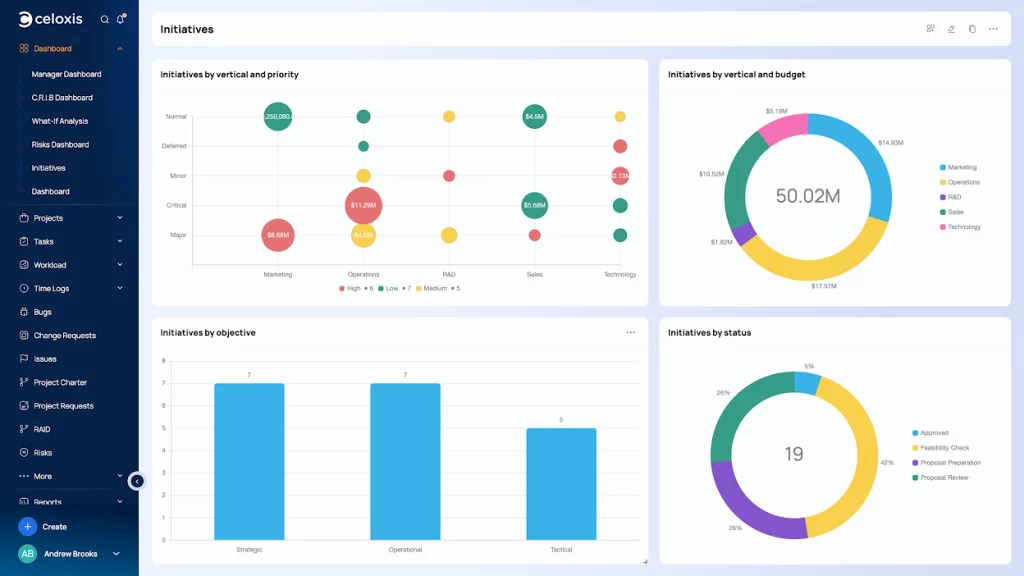
Celoxis is a robust project and project portfolio management (PPM) software designed for organizations managing complex, multi-project environments. Supporting both Agile and traditional methodologies, it enables teams to plan, execute, and track projects with clarity and control. The platform combines advanced scheduling, resource management, and financial tracking within a centralized system. Celoxis is particularly suited for PMOs, professional services teams, and mid-to-large enterprises that require strong governance and portfolio visibility.
Best for: PMOs, professional services teams, and mid-to-large enterprises that require strong governance and portfolio visibility. With customizable dashboards and real-time reporting, it helps align project execution with business strategy while maintaining budget and timeline discipline.

Honest trade-offs: Learning curve is real. The UI feels dated compared to modern tools. Celoxis is geared toward structured, governance-heavy environments (which is a strength if that’s what you need, and friction if it isn’t). The custom pricing model requires direct engagement to get a number.
Pricing: Core from $10/user/month. Essentials at $25. Professional at $35. Business at $45. Enterprise – Custom. All prices are in USD per user/month, billed annually.
3. Planview
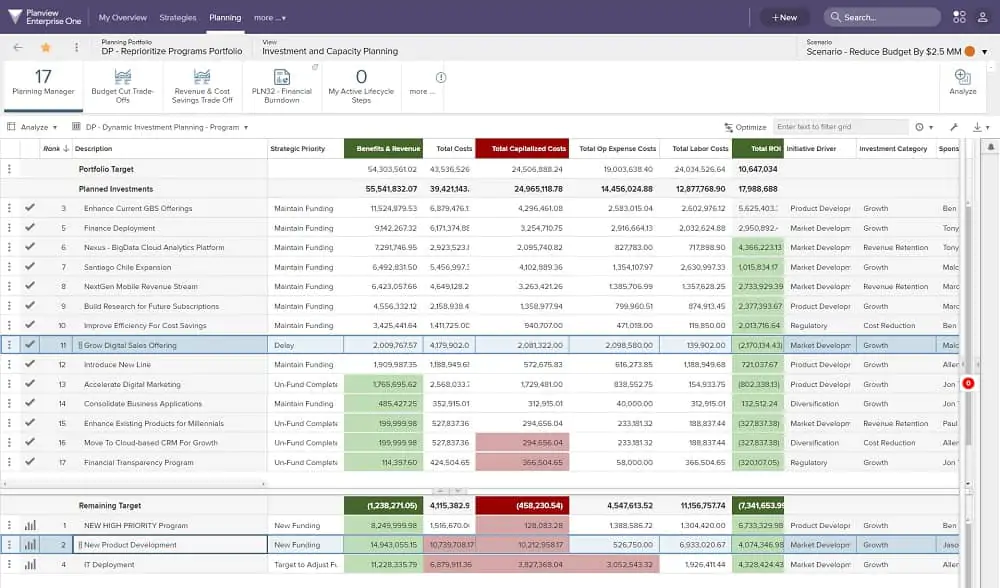
Planview is a powerful PPM solution designed for organizations looking to optimize their project execution, resource allocation, and overall strategic alignment. With a comprehensive set of features tailored for enterprise-level project management, Planview enables teams to effectively manage multiple projects, track performance, and gain valuable insights through advanced analytics.
The platform is particularly suited for large organizations that require a robust system to oversee complex projects and portfolios while ensuring alignment with business objectives. Planview’s user-friendly interface and extensive customization options make it a go-to solution for organizations seeking to enhance their project management capabilities.
Best for: Large enterprises managing strategic portfolios across multiple teams and methodologies, with complex resource and financial oversight needs at organizational scale. Planview is the most comprehensive PPM solution on this list.
Strategic alignment features, works across Agile/Lean/traditional, robust analytics — if your organization manages dozens of concurrent programs with complex financial and resource governance, Planview is built for that environment.

Honest trade-offs: Complex setup requiring significant implementation investment. The tool has a steep learning curve. It can be quite expensive for smaller teams. Interface is not intuitive relative to the cost and it could be a genuine overkill for mid market teams. If you’re evaluating the tool for a 100-person organization, you may be over buying. While Planview allows for extensive customization, implementing these changes can be complex and may require technical expertise or assistance from the support team.
Pricing: Free trial available. Planview Enterprise One plan is available upon request.
4. Atlassian Jira
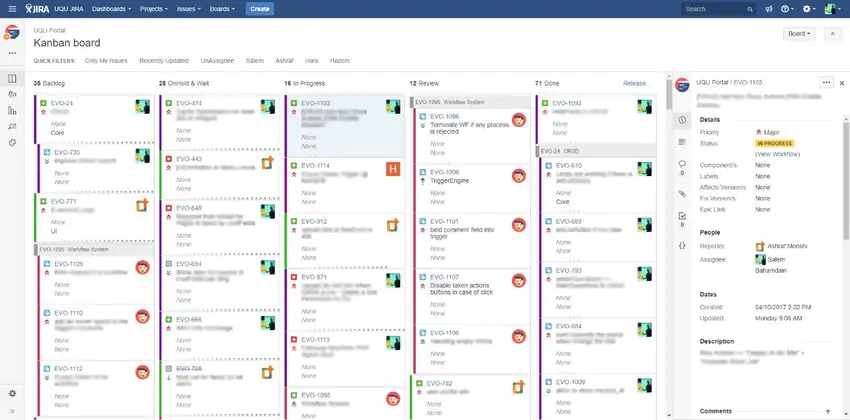
With Jira, teams can manage dependencies, feature requirements, and stakeholders right away with Jira’s planning and tracking tools. Transparency is made easier throughout the software development life cycle by CI/CD integrations. Live production code status information appears in the Jira work item when it is prepared for deployment..
Best for: Software engineering teams running Scrum or Kanban at any scale, particularly those already in the Atlassian ecosystem (Confluence, Bitbucket, Jira Service Management). Jira is genuinely excellent for engineering teams running Agile. It’s the industry standard for that use case, and for good reason. Backlog management is powerful, JQL is genuinely flexible, the integration ecosystem is enormous, and if your team is already in the Atlassian stack, the switching cost is real and worth acknowledging.

Where it falls short: Jira was built for engineering teams. When organizations try to extend it to PM leadership, portfolio management, or cross-functional delivery, they hit its ceilings quickly. Portfolio management requires Jira Align. It’s a separate product with significant additional cost. Resource management is weak natively and requires third-party add-ons. The UI is polarizing for non-engineering stakeholders. Admin overhead is a common complaint.
Honest trade-offs: Configuration-heavy; Jira Align is expensive relative to what it provides; resource management requires add-ons; UI complexity drives low adoption among non engineering users; licensing costs escalate as your add-on needs grow.
Pricing: Free for ≤10 users. Standard $7.75/user/month. Premium $15.25/user/month. Enterprise custom.
|
Curious to know more? Check out 👉 Nimble vs Jira |
Tier 2: For Mid-Market teams that need more than task management
These tools go beyond basic task tracking. They’re built for teams that need methodology flexibility, cross-project visibility, and resource management in one platform — without enterprise-level complexity or cost.
5. Wrike
Best for: Cross-functional teams. Marketing, operations, and project delivery teams at mid-size organizations that need strong Gantt chart capability and structured external collaboration.
Wrike’s strength is visual timeline management combined with solid time tracking. For organizations running deadline-driven delivery with multiple stakeholders, the Gantt chart quality is genuinely ahead of most tools in this tier. Cross-team visibility is real. The integrations with major enterprise tools are well-maintained.
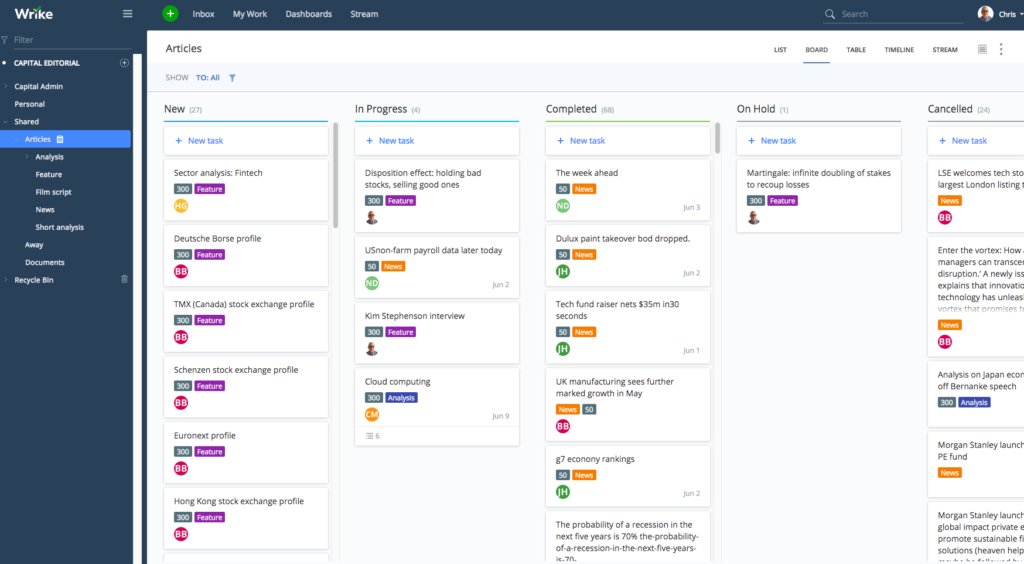

Honest trade-offs: Not as strong on Agile/Scrum as dedicated tools. The interface can feel cluttered at scale and pricing escalates meaningfully for larger teams needing enterprise features. Resource management is available but not as deep as NimbleWork or Celoxis.
Pricing: Free price for ≤5 users. Team from $10/user/month for 2-15 users. Business $24.80/user/month or 5-200 users. Enterprise custom.
6. Businessmap (formerly Kanbanize)
Businessmap is an enterprise Kanban platform built for organisations that have already invested in Lean and the Kanban Method — portfolio-level boards, multi-level work hierarchies, and Monte Carlo forecasting come native.
Best for: Flexible Workspaces, OKR functionality, real-time dashboards, and enterprise integrations. With its highly customizable workflows, the platform supports hybrid, agile, and traditional project management, and as such, it adapts to different processes. Built-in workflow metrics provide actionable insights into how work moves through the system, while the automation capabilities help teams automate repetitive tasks.
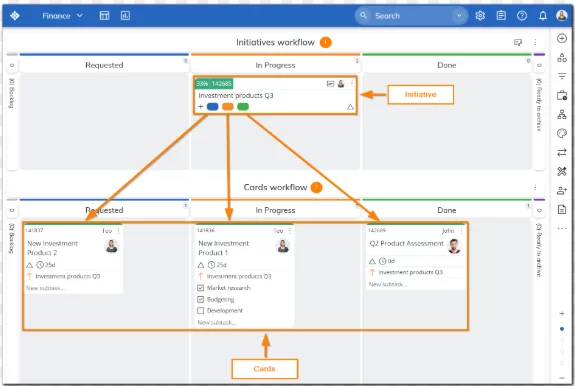

Honest trade-offs: Mobile experience lags desktop by some measure. Difficult for new users to initially set up and navigate through the system. Not ideal for small teams: smaller teams may not need the full range of enterprise-level features.
Pricing: 14-day free trial available (without a credit card). Standard: Starting at $10.60/user/month (billed annually, no add-ons) for a tier of 15 users. Enterprise plans: custom pricing, enterprise security, dedicated support. Approx. $7/user/month (1,000+ users).
7. ClickUp
ClickUp positions itself as “one app to replace them all” — docs, tasks, whiteboards, chat, automations, and Brain AI in a single workspace at competitive base pricing. The breadth is real, but so is the configuration overhead at scale, and AI is unbundled as a separate add-on at every tier.
Best for: Teams trying to consolidate multiple tools — docs, tasks, goals, time tracking — into one platform, provided they’re willing to invest time in setup and governance. ClickUp’s USP is breadth: almost any PM function you can name, ClickUp has a version of it. For teams frustrated by tool sprawl, the consolidation appeal is real. The free tier is genuinely functional.


Honest trade-offs: Feature breadth creates real complexity. Without intentional governance, ClickUp workspaces become disorganized quickly at team scale. Mobile experience lags desktop significantly. Performance can degrade on complex workspaces. Buying ClickUp to solve fragmentation risks trading one kind of sprawl for another if setup discipline isn’t maintained.
Pricing: Pricing at entry level is competitive. Free. Unlimited from $7/user/month. Business $12/user/month. Custom pricing for all Business features.
8. Monday.com
Monday rebranded mid-2026 from “Work Management Platform” to “AI Work Platform,” layering AI Agents, AI Blocks, and the AI Platform Gateway onto its signature visual board UX.
Best for: Cross-functional teams that prioritize visual UX and fast adoption over PM depth — particularly when non-technical stakeholders need to participate in project visibility.
Monday’s UI advantage is genuine and consistent. Onboarding is fast. The automation builder is accessible. For marketing, operations, and admin teams running relatively simple workflows, it works well and gets adopted. The 200+ integrations are well-maintained. 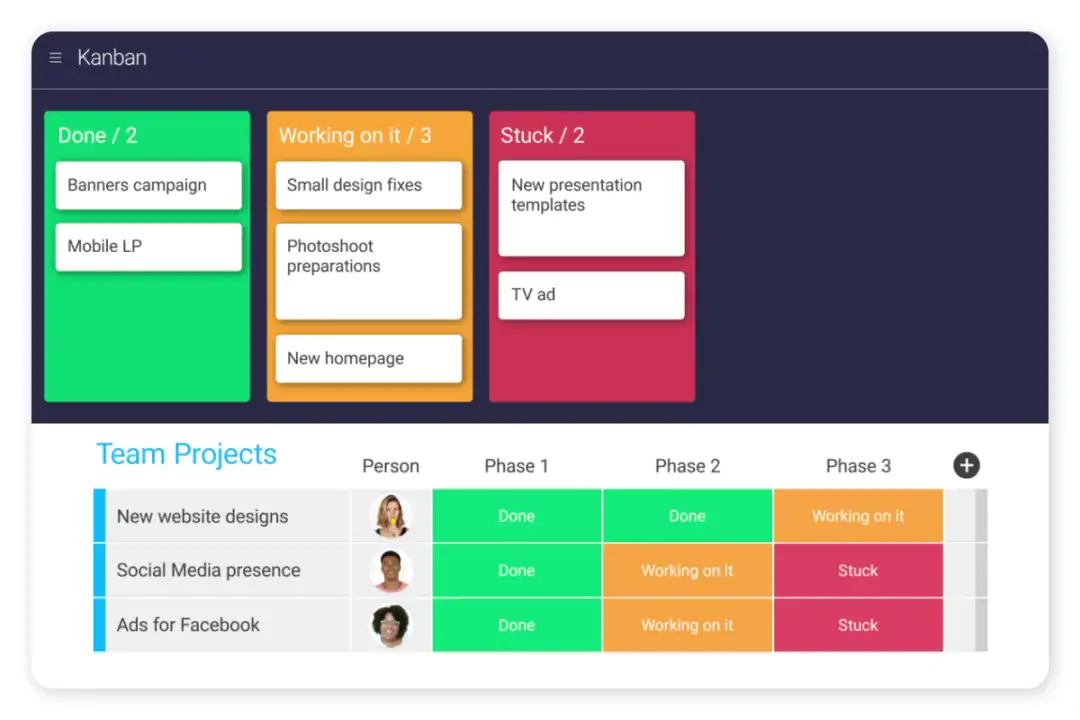

Honest trade-offs: Monday is shallow on Agile/Scrum. The ‘sprint management’ feature is functional but not deep. Resource management is thin and reporting at enterprise scale requires add-ons and higher tiers. There’s no native time tracking and pricing escalates quickly with team size and feature tiers. Teams that outgrow Monday’s reporting often hit the ceiling hard.
Pricing: Basic from $9/user/month. Standard $12. Pro $19. Enterprise custom.
Tier 3: For Teams That Prioritize Simplicity and Ease of Adoption
These tools trade depth for ease. They’re best for teams where adoption speed matters more than methodology sophistication. Like smaller teams, non-technical users, or departments that need a lightweight collaboration layer.
9. Asana
Asana is a popular project management tool designed to help teams organize, track, and streamline their work. Known for its intuitive interface and ease of use, Asana offers a wide range of features that cater to teams of all sizes, from small startups to large enterprises. It supports everything from task management to project timelines, making it an ideal tool for teams looking to stay organized and meet deadlines efficiently.
Best for: Marketing, operations, and cross-functional teams that need clean task management and timeline views without heavy methodology overhead. Asana’s interface is the cleanest in this tier. Timeline view is genuinely useful for deadline driven work. The workload management feature gives managers visibility into team capacity at a basic level. Over 100 integrations with enterprise tools are well-maintained.
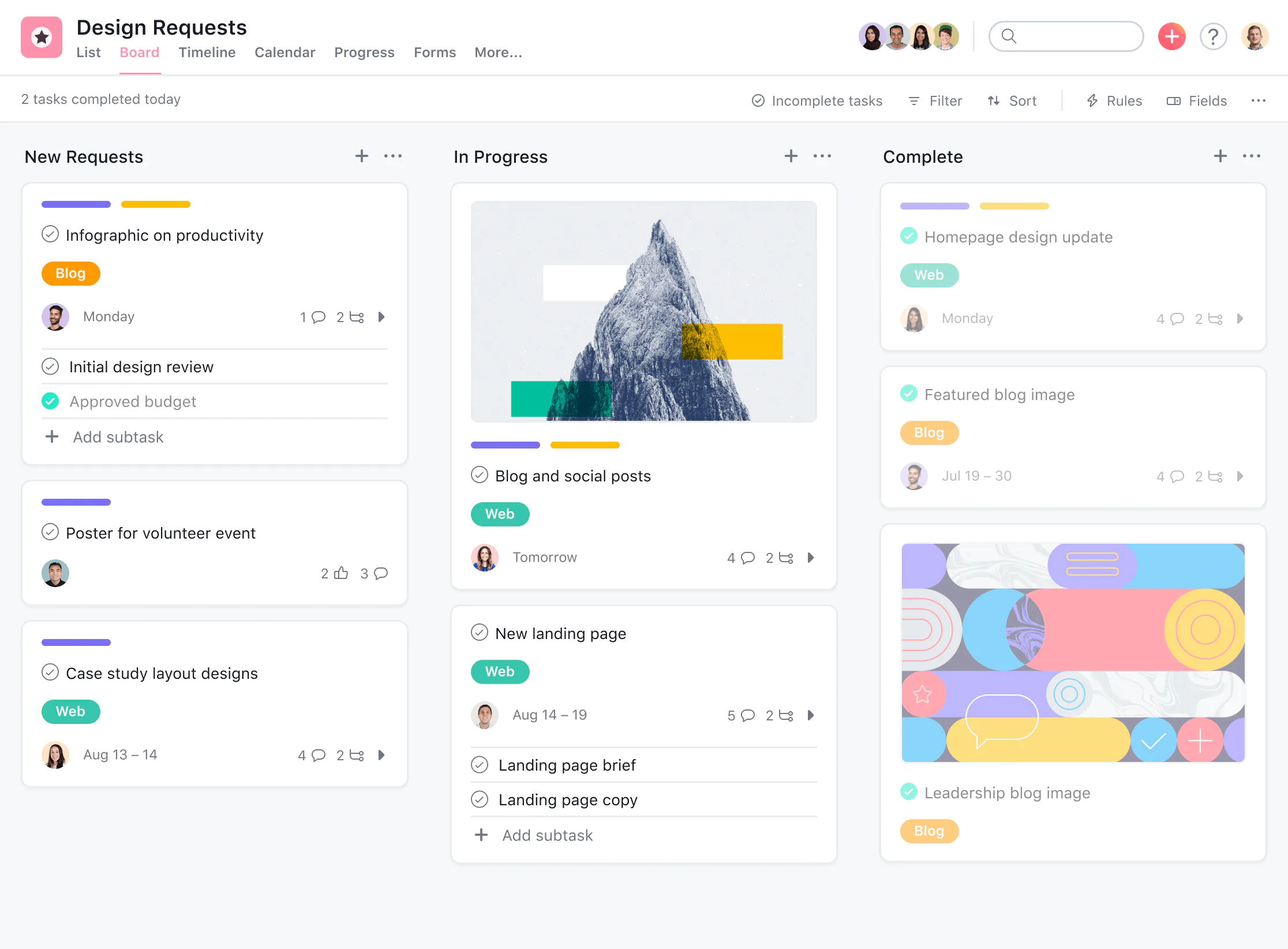

Honest trade-offs: No native time tracking — requires third-party integrations; resource management is thin for anything beyond basic workload visibility; advanced reporting is locked behind expensive higher tiers; can become unwieldy at high task volumes without strong organizational discipline.
Pricing: Personal (free for ≤10 users). Starter $10.99/user/month. Advanced $24.99/user/month
10. Trello
Trello is a simple project management tool that uses visual boards, lists, and cards to help teams organize and prioritize tasks. Ideal for small to medium-sized teams, the tool offers a user-friendly interface that makes task management straightforward and collaborative.
Best for: Small teams or individuals who need a simple visual Kanban board to manage workflow — not a replacement for a full PM tool at any meaningful scale. Trello’s core strength is its learning curve: it’s the lowest on this list. The free tier is genuinely functional for simple workflows. The mobile app is well-designed. For small teams doing simple work tracking, it does the job with minimal overhead.
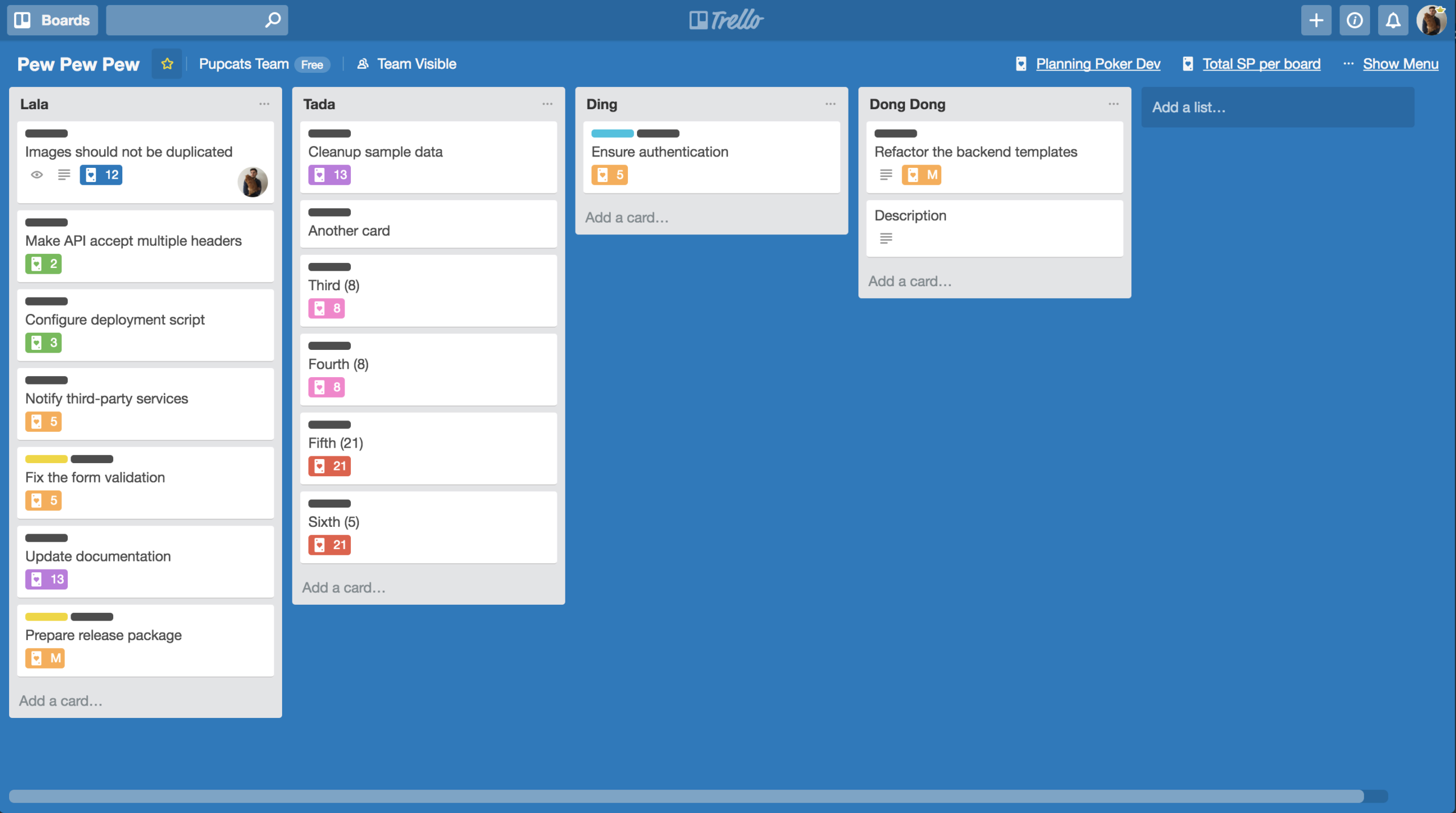

Honest trade-offs: Gantt charts are not available natively. There’s neither resource management nor any reporting depth. It scales poorly beyond ~20 tasks per board. While Trello offers automation via Butler, it is limited in the free plan, with expanded capabilities only available in paid versions. And the tool is not suitable as a primary PM tool for organizations managing complex delivery.
Pricing: Free up to 10 boards per workspace. Standard $5/user/month. Premium $10/user/month. Enterprise from $17.50/user/month
11. Basecamp
Basecamp is 37signals’ opinionated all-in-one project tool — to-dos, schedules, messages, docs, and chat in a deliberately simple package, with flat-rate pricing that bucks the per-seat creep of most competitors.
Best for: Small agencies or service teams that want a flat, simple client-facing collaboration tool. It is not for complex project delivery or teams with Agile methodology needs. Basecamp’s flat-rate pricing model is unusual and appealing for larger teams where per-seat pricing gets expensive. Client communication features are well-designed. The message board structure keeps discussions organized.
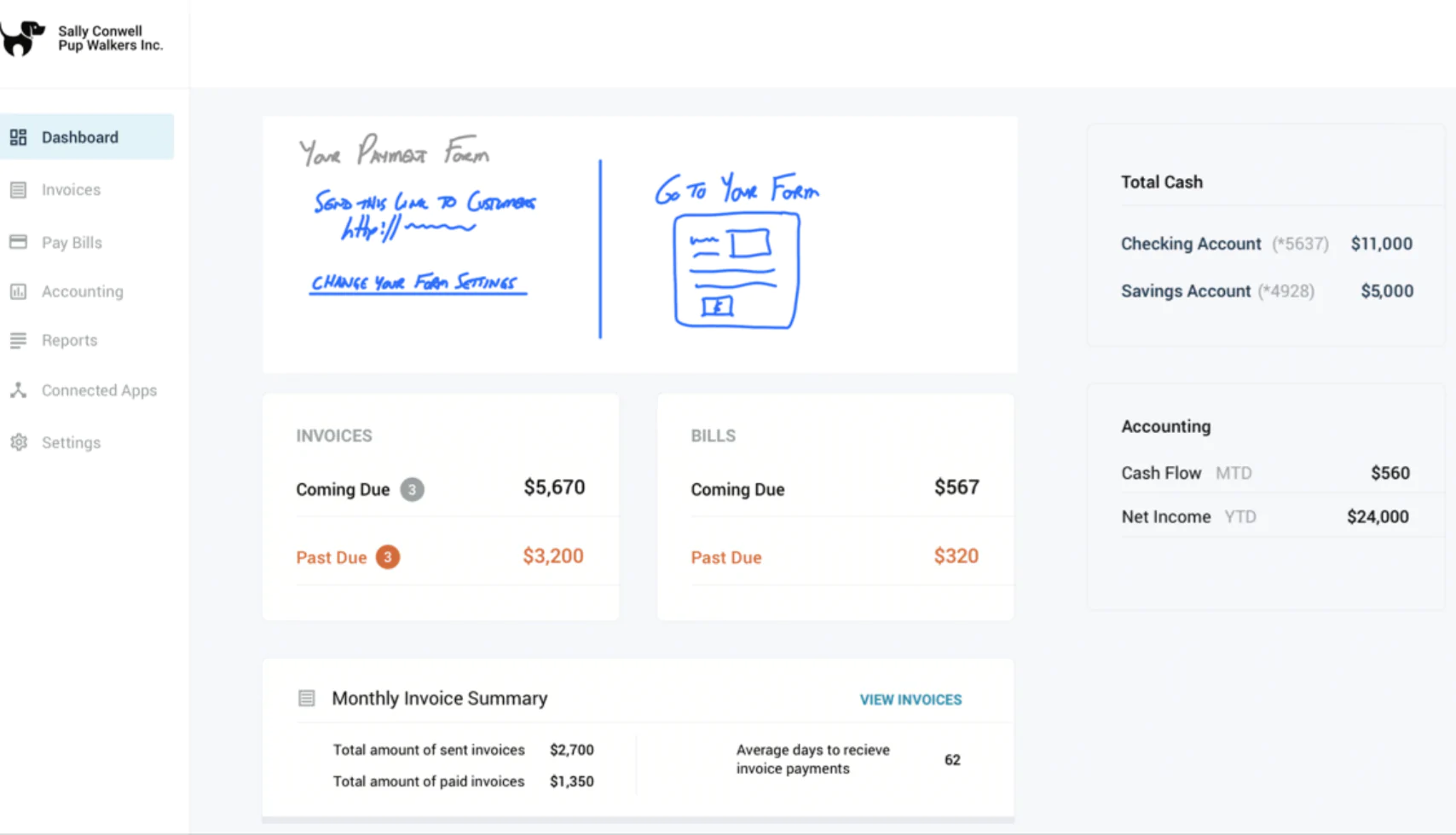

Honest trade-offs: No Gantt charts, no time tracking, no resource management, minimal customization. The platform is not suitable as a primary project management software for technical teams or organizations with structured delivery requirements.
Pricing: $15/user/month. Basecamp Pro Unlimited $299/month flat rate.
Other noteworthy Project Management software
While the tools listed in this article represent some of the most popular project management solutions, several other noteworthy software options cater to different needs and preferences. Here are a few additional project management tools worth considering:
1. Smartsheet
Smartsheet combines the familiarity of spreadsheets with powerful project management features, making it a great option for teams that prefer a grid-based approach. It offers customizable templates, automation capabilities, and real-time collaboration tools, making it suitable for various project types and industries.
2. Notion
Notion is an all-in-one workspace that combines project management, note-taking, and collaboration features. With its highly customizable interface, teams can create tailored workflows, documentation, and task boards. Notion is particularly favored by small to medium-sized teams seeking a flexible solution for managing projects and knowledge.
3. Microsoft Project
A long-standing player in the project management software market, Microsoft Project offers powerful tools for planning, scheduling, and resource management. While it has a steeper learning curve, it is ideal for teams that require advanced project management capabilities and are already integrated into the Microsoft ecosystem.
4. Teamwork
Teamwork is designed for teams looking for a comprehensive project management solution that emphasizes collaboration and client communication. It offers features such as task lists, time tracking, project templates, and reporting tools, making it ideal for agencies and service-based businesses.
5. ProofHub
ProofHub is a straightforward project management software that provides essential tools for task management, team collaboration, and project tracking. It features built-in proofing tools for reviewing designs and documents, making it suitable for creative teams.
How to choose: the decision table
The tool selection comes down to one honest question: what is the specific ceiling your current tool has hit, and which tool is designed to solve it.
| If your team looks like this… | Best fit | Why |
|---|---|---|
| Large enterprise with delivery teams handling complex projects and strategic portfolio management. | Nimble / Celoxis / Planview | Scale and governance depth; accept the complexity and implementation cost. |
| Mid-market product or IT org, hybrid Agile/Waterfall, needs portfolio visibility. | Nimble / Businessmap | Hybrid + portfolio + resource management natively. |
| Engineering team, Scrum-focused, already in the Atlassian ecosystem. | Jira | Best Agile tooling; ecosystem integration is a genuine advantage worth the lock-in. |
| Cross-functional team, visual UX a priority, non-technical users. | Monday | Best UI on this list; adoption is fast; works for teams without PM backgrounds. |
| Team consolidating many tools, willing to invest in setup. | ClickUp | Broadest feature set; needs governance discipline to work at scale. |
| Small team, simple workflow, fast adoption is critical. | Asana / Trello / Basecamp | Ease of use outweighs feature depth at this scale. |
Now, let’s look at the checklist for evaluating the tools based on the questions we already asked.
PM Software Evaluation Checklist
When you’re running a formal evaluation with multiple stakeholders, gut feel and a well-run demo won’t reveal the gaps that matter. A structured checklist scores every tool against the same criteria — so the decision is based on fit, not on whoever gave the best presentation.
The PM Software Evaluation Checklist covers:
● Methodology support (Scrum, Kanban, hybrid, waterfall)
● Portfolio and cross-project visibility
● Resource and capacity management
● Reporting and analytics Integrations (dev tools, communication, finance)
● Ease of adoption and onboarding support
● Total cost of ownership (native vs. add-on)
Download the free checklist here. Or, to see how Nimble scores against your current tool side by side, book a 30-min demo. 👈
FAQs
1. What is the best project management software in 2026?
It depends on team size, methodology, and what you’ve outgrown. For mid-market teams running hybrid delivery, Nimble leads on portfolio visibility and resource management. For pure engineering/Scrum teams, Jira remains the standard. For fast adoption and visual UX, Monday.com or Asana.
2. What’s the difference between project management software and work management software?
Project management tools focus on structured delivery — timelines, resources, budgets, dependencies. Work management tools are broader — they include ongoing operations, repeatable workflows, and cross-functional task tracking. Many modern platforms (including Nimble) cover both. The distinction matters when deciding whether you’re managing discrete projects or continuous work.
3. Is Jira good for project management beyond software teams?
Jira is excellent for engineering teams. Outside that context like PMO, professional services, marketing, cross functional delivery, it tends to require heavy customization and add-ons to fill the gaps. Teams using Jira for non-engineering work often end up managing workarounds rather than work.
4. What does project management software cost for a team of 50?
Expect $7–$25 per user per month for mid-market tools, depending on the feature tier. At 50 users, that’s $350- $1,250/month. The more important question is total cost of ownership: which features you need are included vs. charged as add-ons, and what implementation and training costs look like.
5. How long does it take to implement a new PM tool?
For a team of 50, plan for 4–8 weeks from tool selection to full team adoption: 1–2 weeks for configuration, 1–2 weeks for pilot team, 2–4 weeks for full rollout with training. Tools with professional services and onboarding support (like NimbleWork) compress this timeline significantly.
Key takeaway
The right PM tool is the one that fits where your team is now and where it’s going in the next 18 months — not the one with the longest feature list or the highest G2 rating.
If you’re growing past 50 people, running hybrid delivery, or hitting the portfolio visibility ceiling, the shortlist narrows quickly. Most of the tools on this list were designed for a specific team type. The ones that aren’t a fit for your situation aren’t bad tools; they’re the wrong tools for where you are.
Two things to help you move forward:
Download the PM Software Evaluation Checklist. Score your current tool and anything you’re trialing against consistent criteria, with the same questions for every vendor.