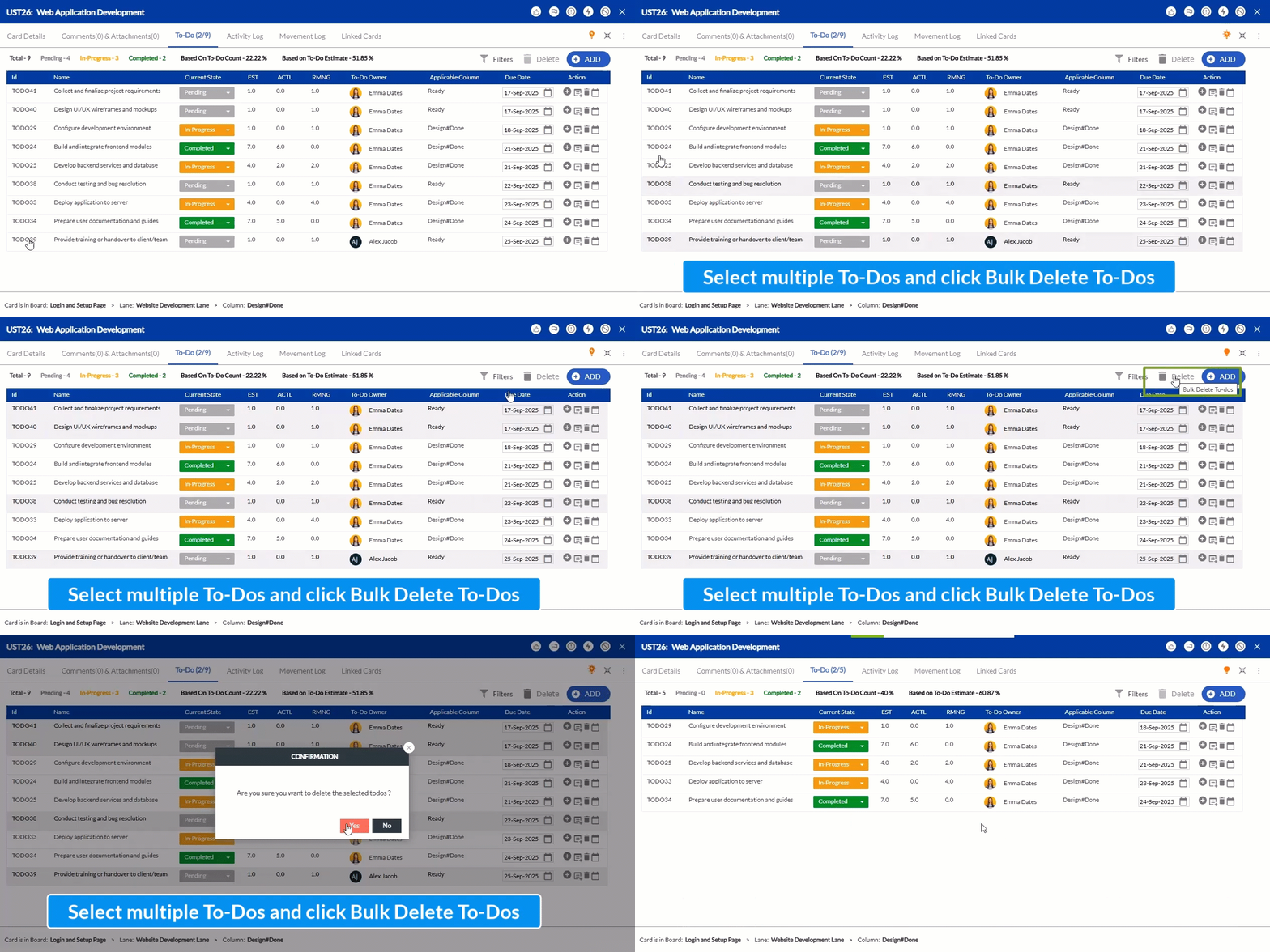
Bulk Delete To-Dos on Cards
Earlier, To-Dos had to be deleted one at a time, which could be time-consuming if you had many that were no longer needed. With the new Bulk Delete To-Dos option, you can now select multiple To-Dos on a card and delete them all at once. Learn more here.
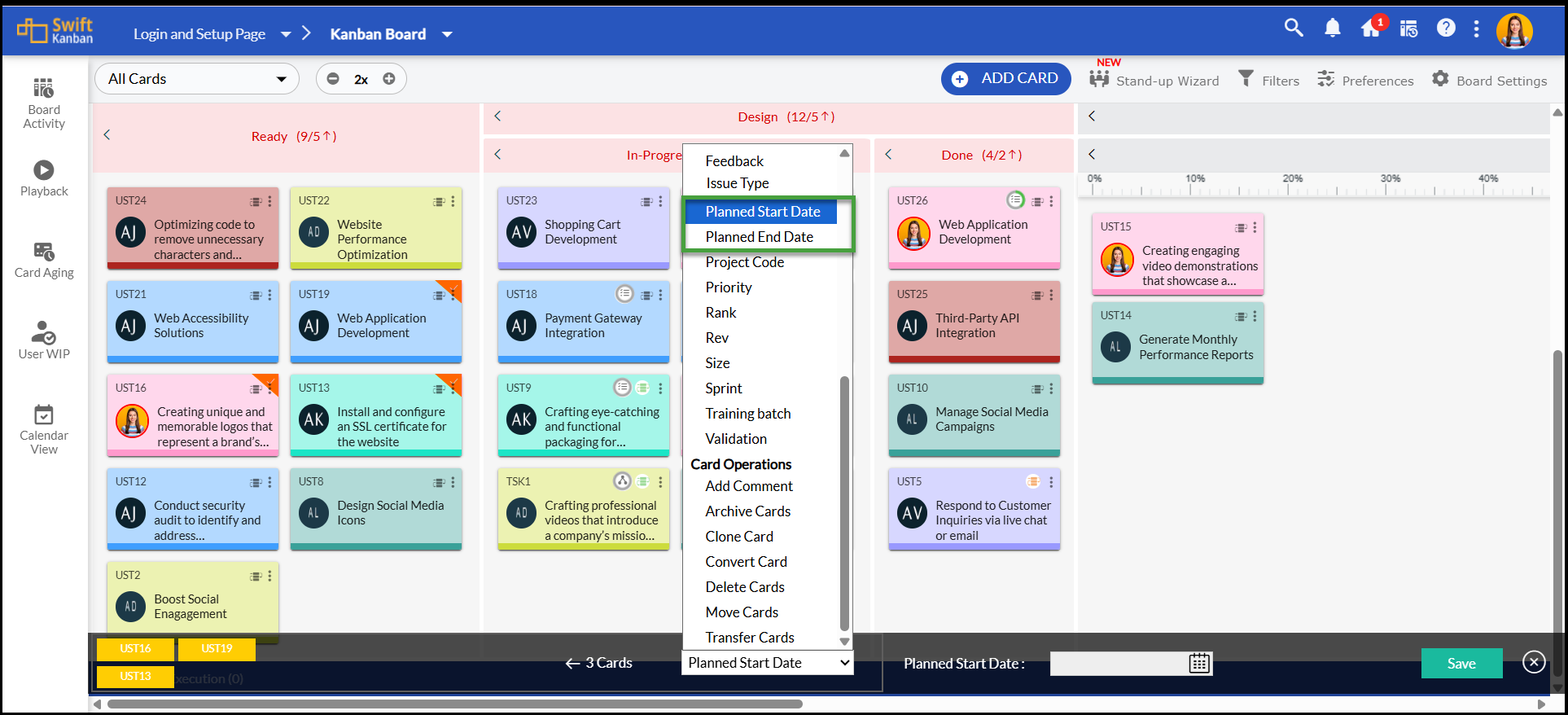
Update Planned Dates Faster with Batch Update
The Batch Update option now includes the Planned Start Date and Planned Finish Date attributes. This means you can quickly set or update planned timelines for multiple cards in one go, without the need to edit each card individually.