
Skip Ahead to:
6 topics
Overview
A test suite is a group of test cases that belong together, for example all the checks for logging in. Grouping them lets you run them in one go and see one set of results for the whole group.
A suite can be run on its own as many times as you like. You can also add suites to a test event, so they are part of a planned round of testing. You run and track everything in Test Management.
Navigation
Point to Execute in the top menu, and then select Test Suites.
How to Add a Test Suite?
- On the Test Suites page, select ADD. The form opens with the next TS ID already filled in.
- Enter a name. The name is the only required field.
- Choose who the suite is assigned to, set a priority and add a description if you want to.
- Link the test cases, as described in the next section.
- Select SAVE.
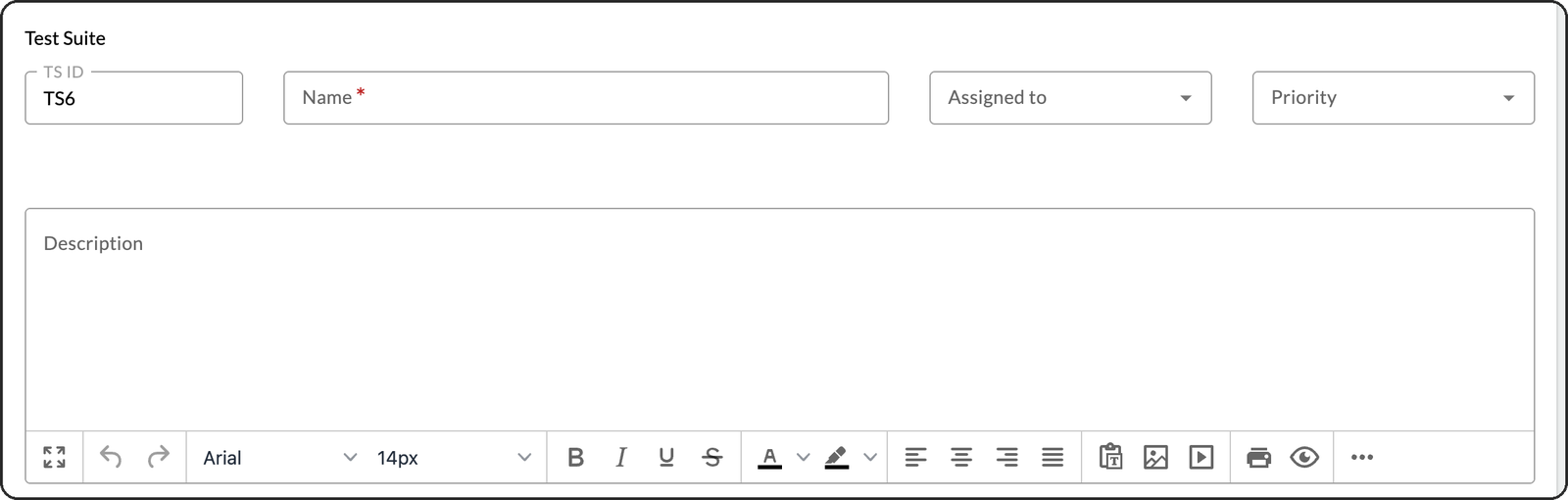
| Field | What to enter |
|---|---|
| TS ID | Filled in for you. You cannot change it. |
| Name | Required. A short title for the group, such as Authentication Suite. |
| Assigned to | The person responsible for the suite. |
| Priority | Critical, High, Medium or Low. |
| Description | What the suite covers. |
| TestCase Count | Filled in for you. It updates as you add rows. |
| Tags | Keywords that help you find the suite later. |
How to Link Test Cases to a Test Suite?
- In the Test Cases for Test Suite section, select Add Row.
- In the new row, start typing the name of a test case, and then pick it from the list.
- Repeat for each test case you want in the suite.
- Select SAVE.
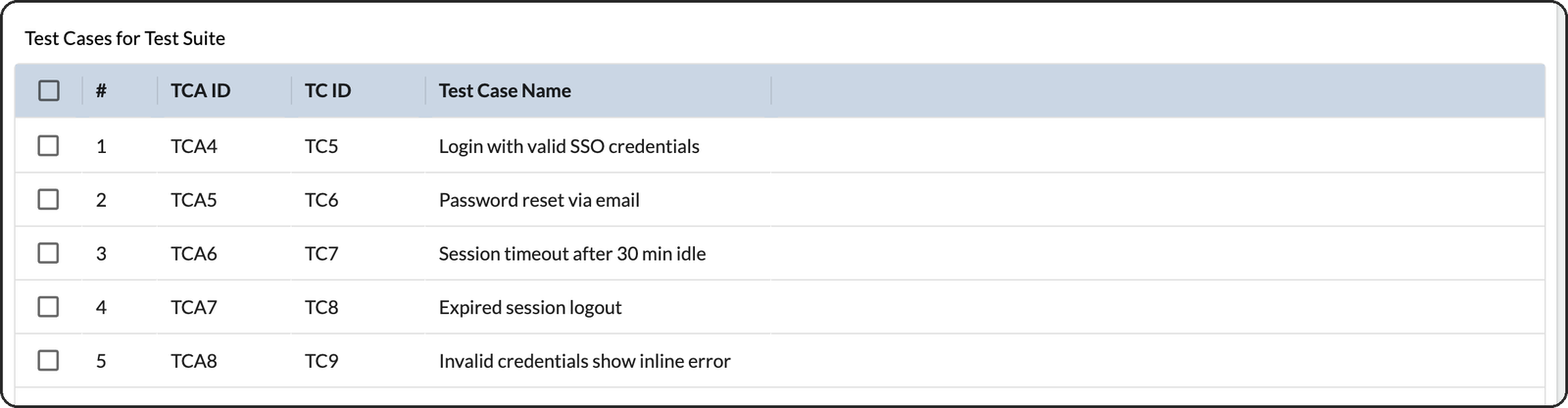
Each row shows a row ID, the test case ID and the test case name. The TestCase Count field goes up by one for every row you add.
The Test Suites List
The list shows each suite with its ID, name, who it is assigned to, priority, the dates it was created and closed, and its status. It starts with a filter that shows only open suites. Select an ID to open the card and edit it. To remove a suite, open it and select DELETE.
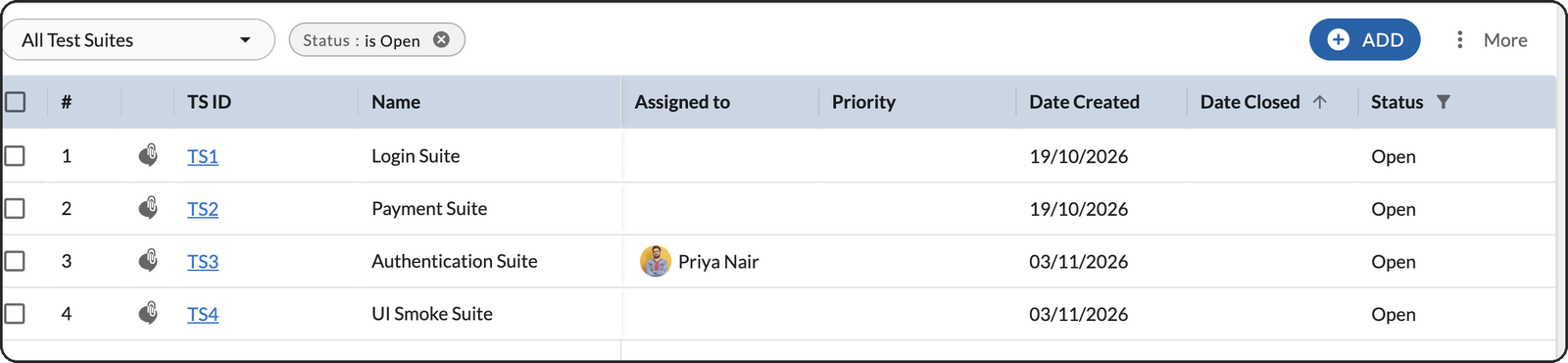
You can perform common operations on this list, such as rearranging column fields, sorting and filtering.
Where Test Suites Are Used
In Test Management, choose Test Suites and pick the suite. The Tests tab lists its test cases, with a summary of the latest run above it. The Run Log tab lists every run of the suite.
- Select RUN to start a new run. A message explains that the suite is run independently of any test event. Select RUN again.
- Name the run and select SAVE.
- Open the run with Details, set each test case to Pass or Fail, and select Complete Run when you are done.
If the suite is also part of a test event, the event’s run includes it too. That run shows in the suite’s Run Log with the event as its context.