-
Introducing Effortless Updates on Tasks
Experience a seamless approach to performing actions on the Tasks with the following improvements:
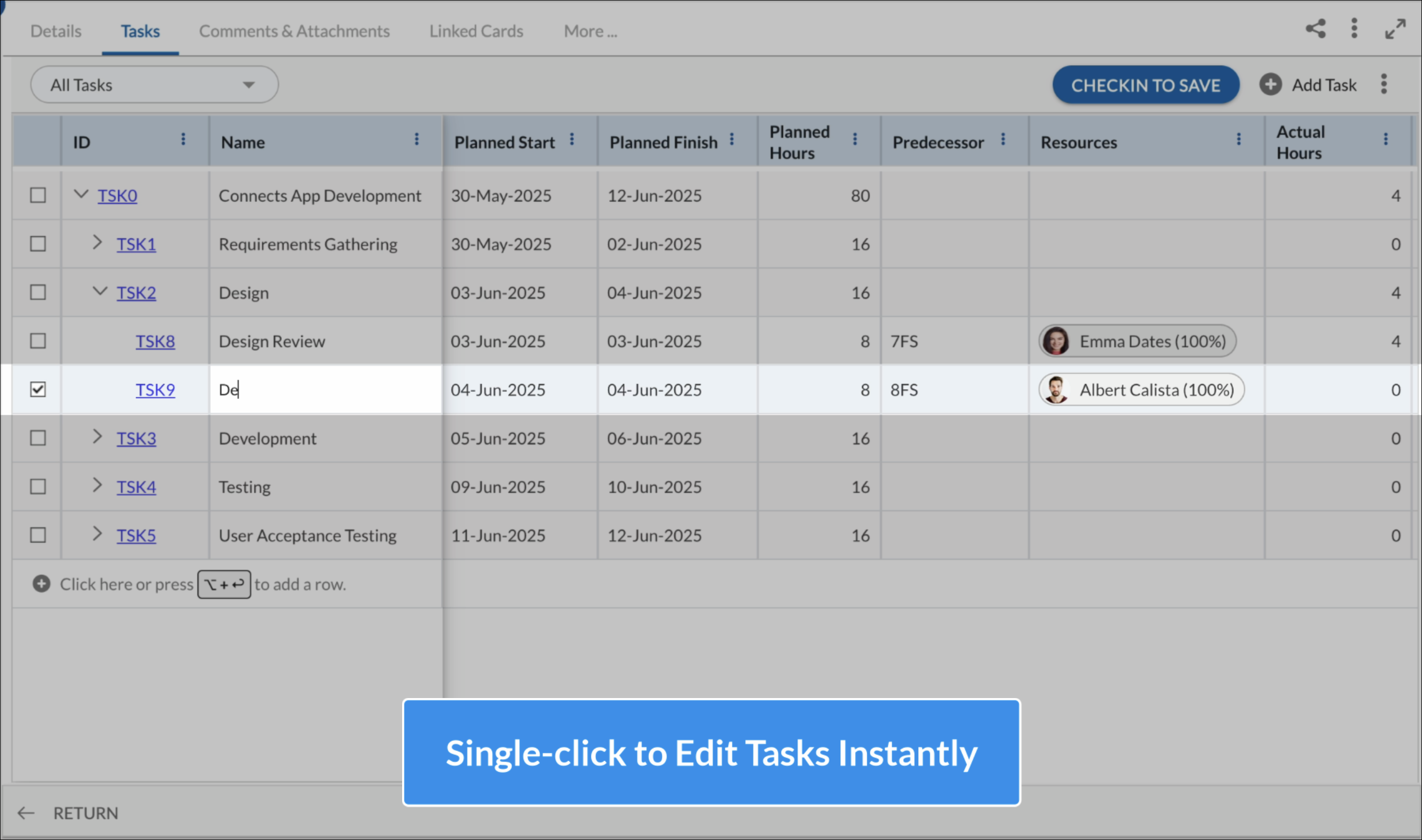
- Quick Task Editing: You can now update tasks with a single click—no more double-c licking required!
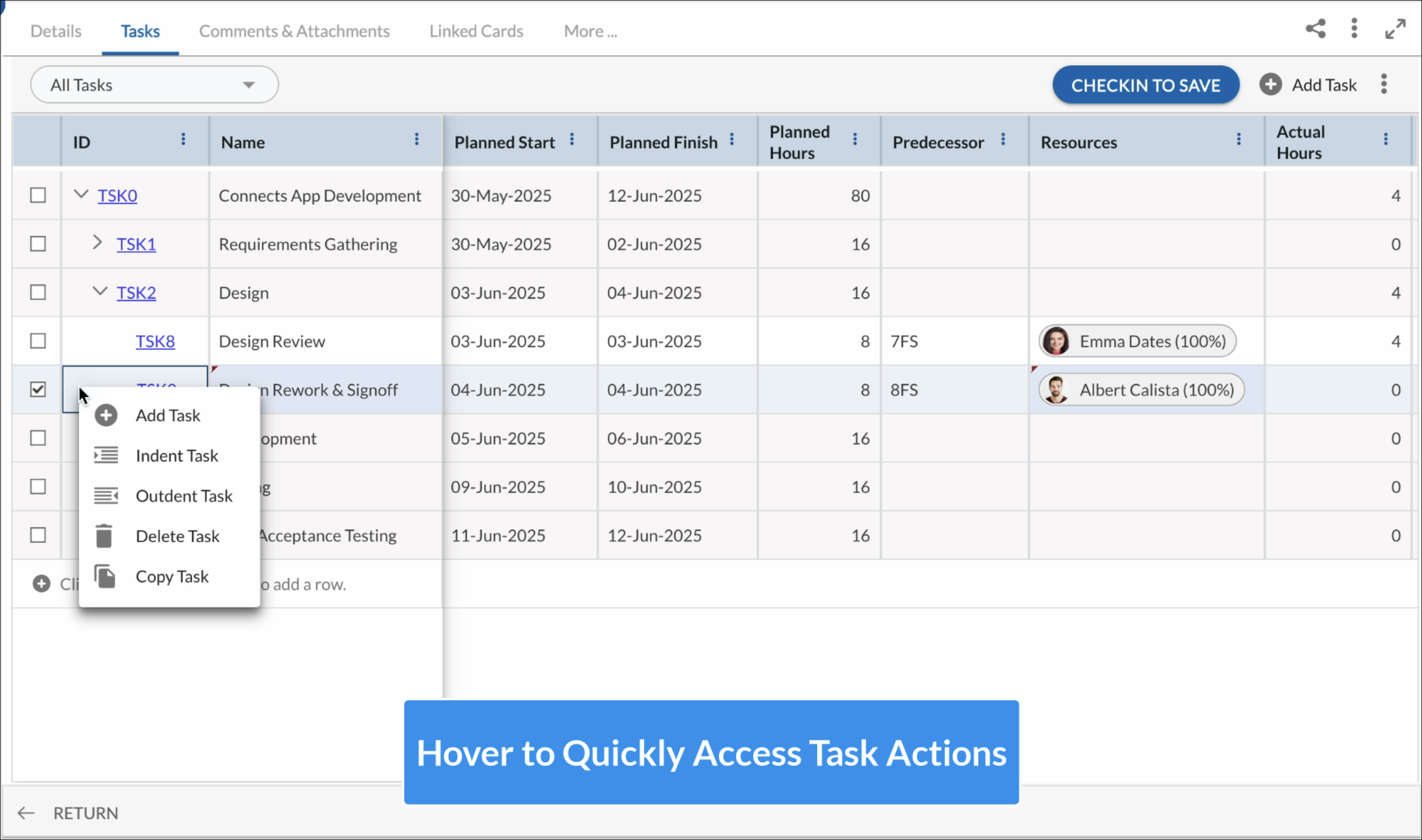
- Easier Access to Task Actions: Common Task options like Add, Delete, Indent, Outdent, Copy, and Paste are now easily accessible via the More Options (⋮) icon that appears when you hover over a Task row.
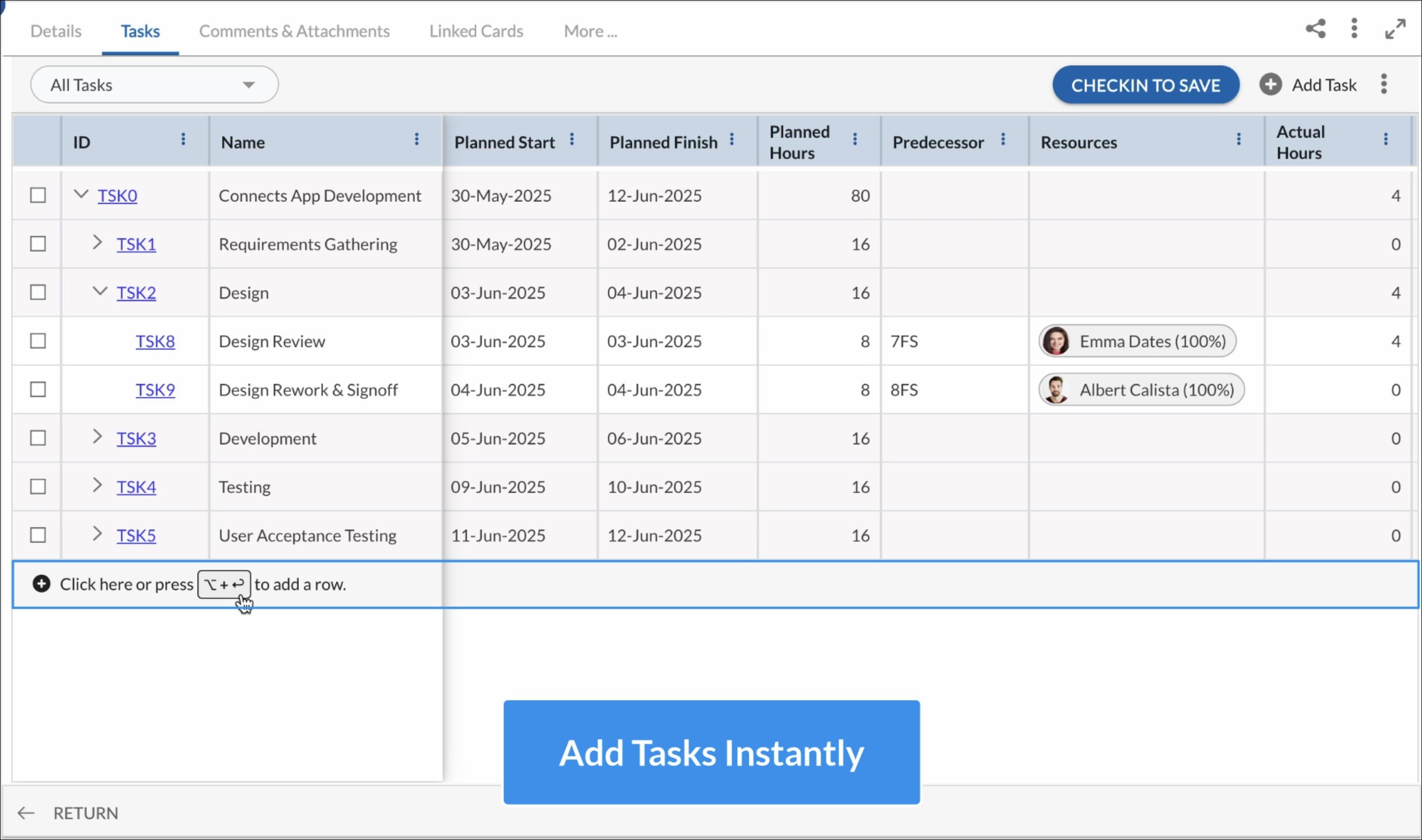
- Easier Task Addition: Just click on a new row or press the Insert key to quickly add a new task, similar to how it works in the Workitem ToDo listing page.
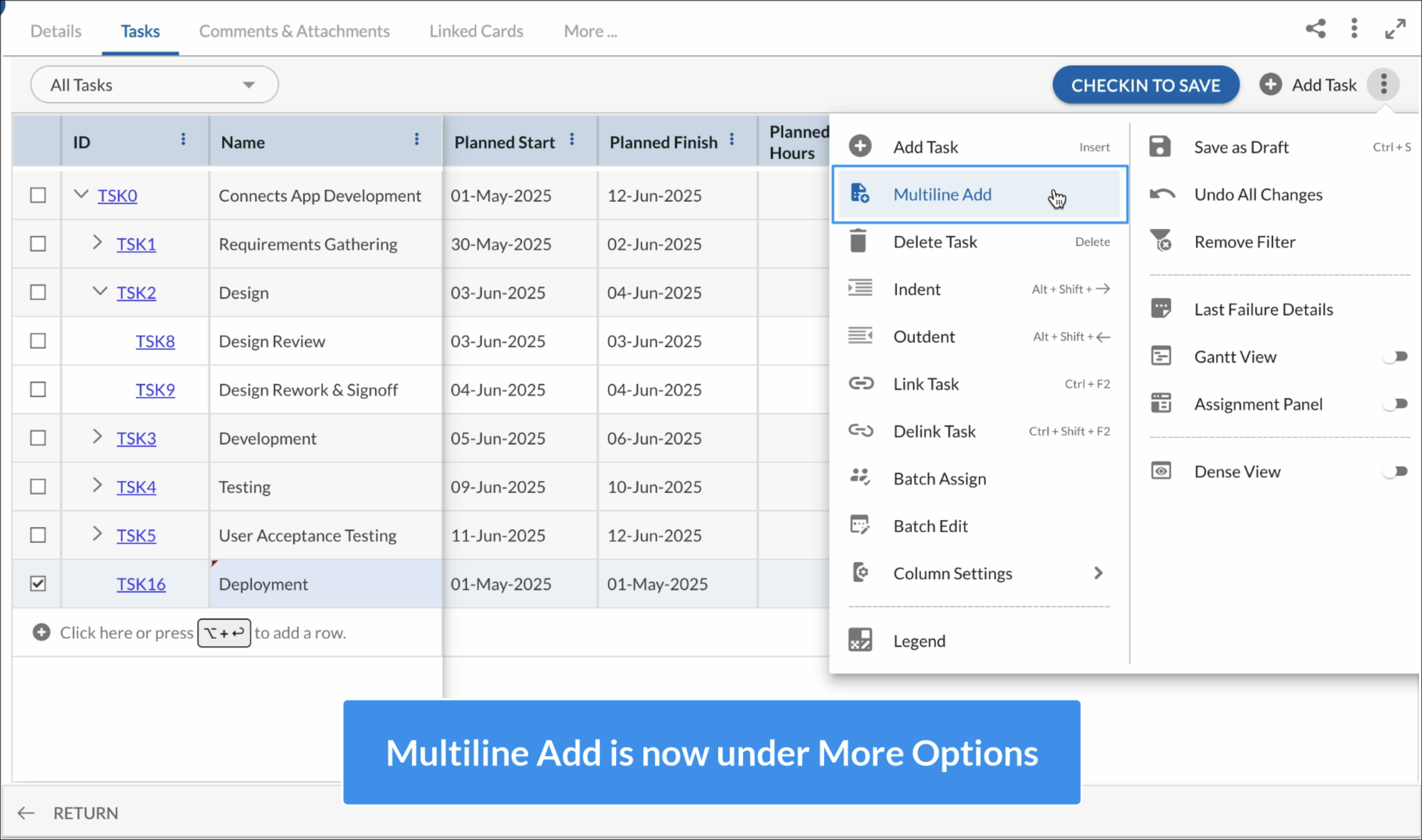
- Multiline Add and Bulk Actions Reorganized: The Multiline Add option has been moved under More Options, where you’ll also find other bulk actions for a cleaner and more organized interface.