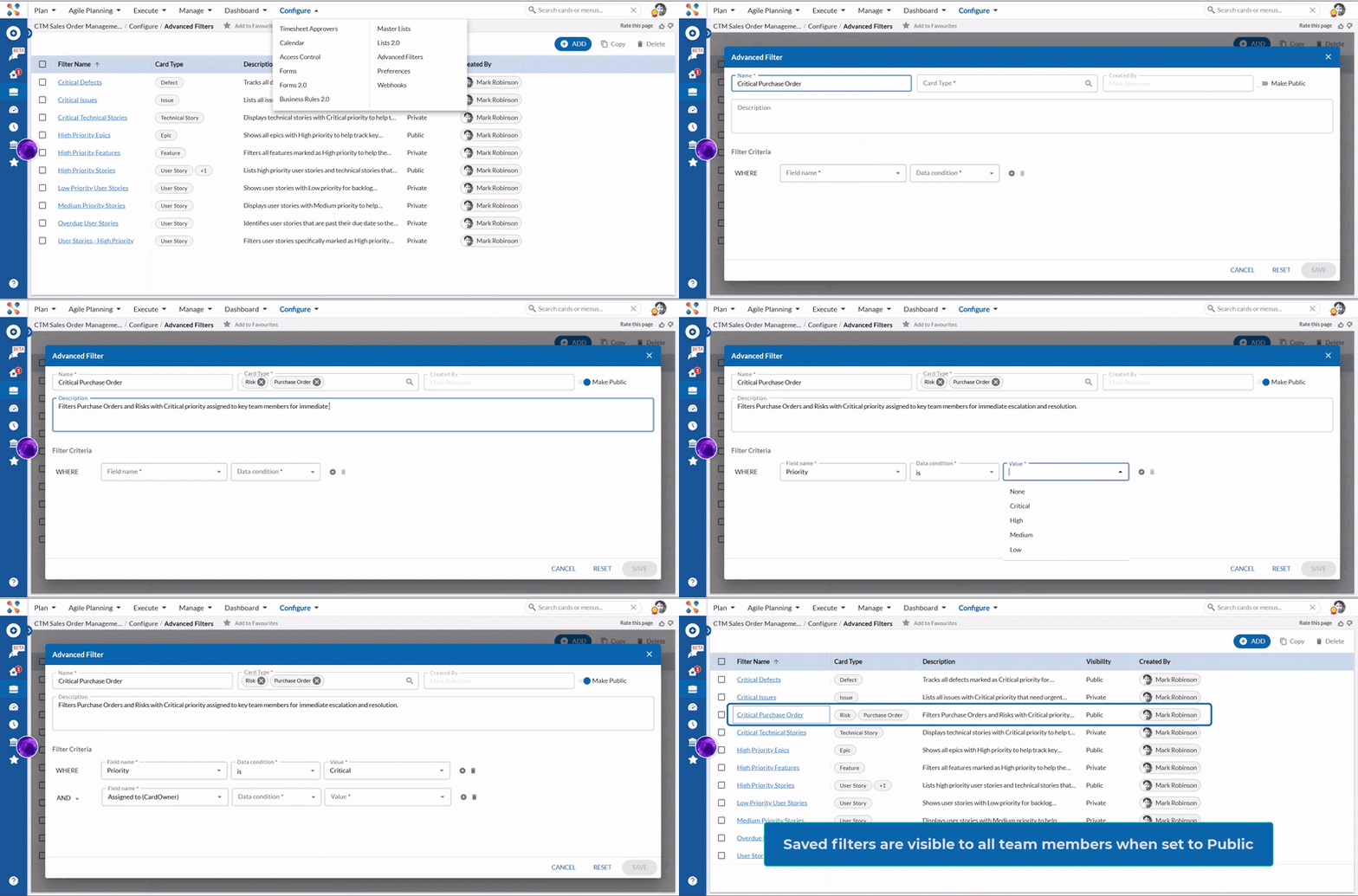
Manage Advanced Filters from One Central Place
Advanced Filters now has a dedicated page under Configure at the project level, giving you a single place to create and manage filters across multiple card types. You can build filters for any card type, make them available to your entire team, and manage all saved filters from one place — without navigating away from your project settings. Learn more here.
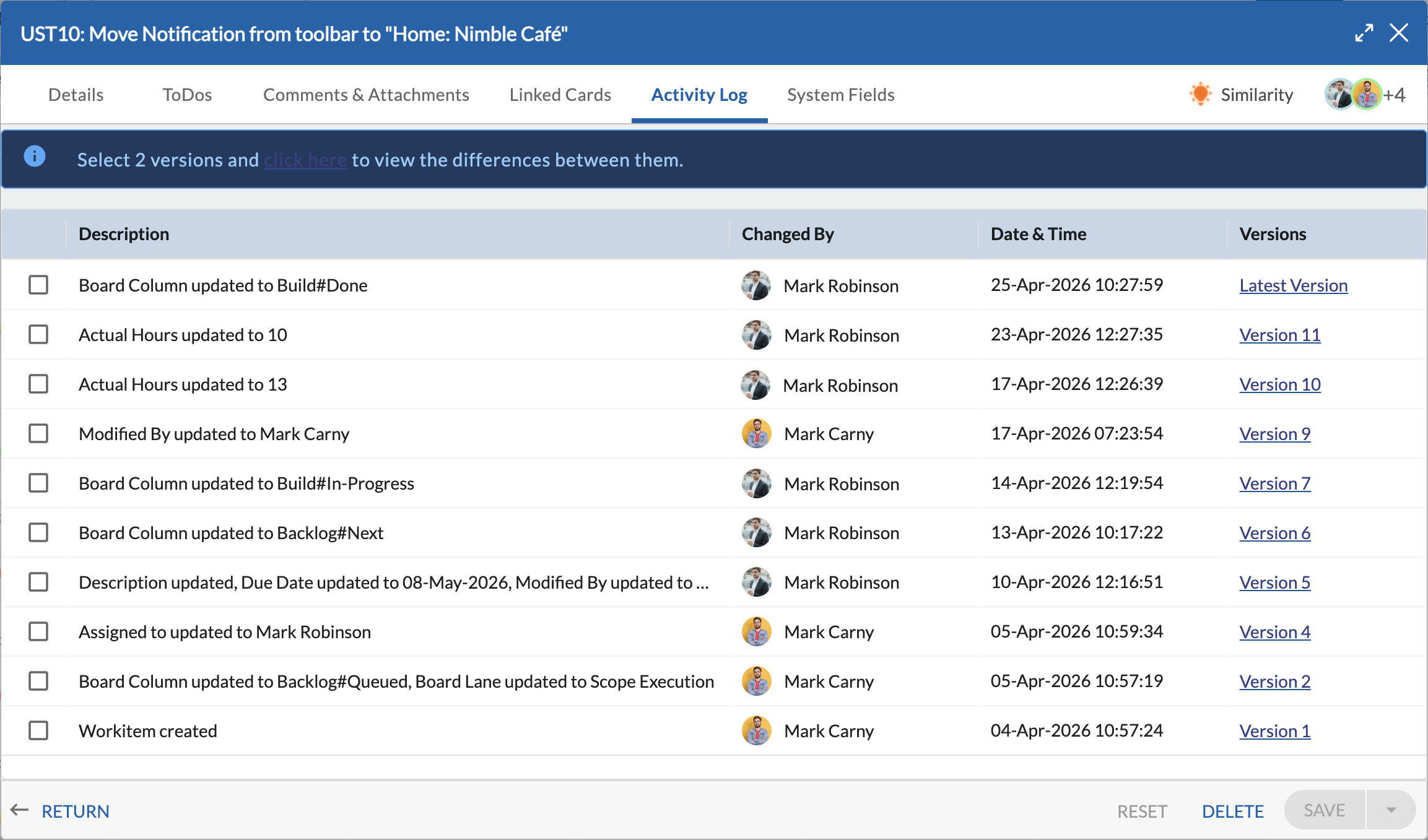
Clearer and More Informative Activity Log
The Activity Log tab now shows detailed descriptions of updates, including what values were changed and their updated values. This helps users quickly understand changes at a glance and reduces the need to navigate through version history. Learn more here.
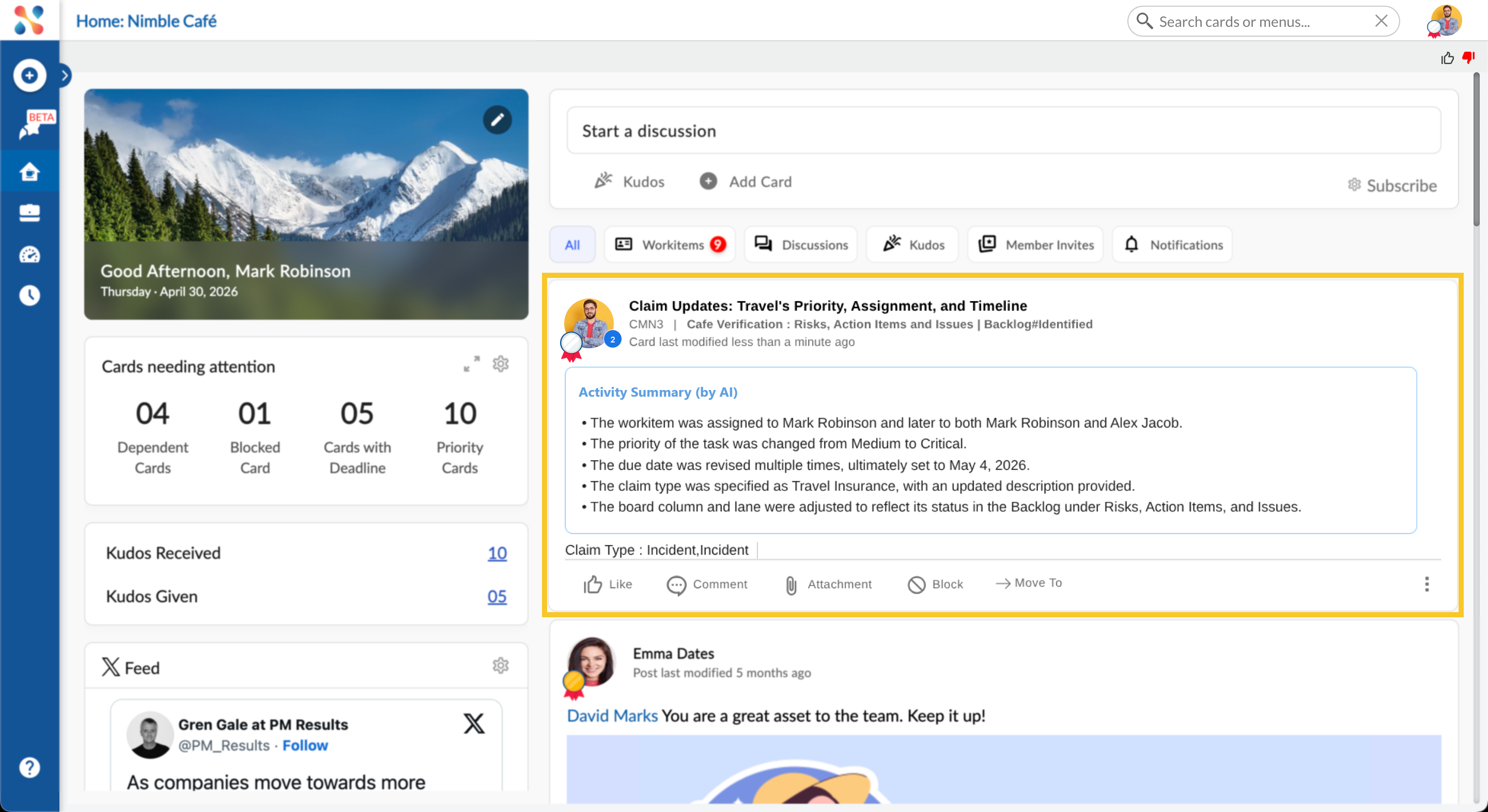
Activity Summary for Recent Updates in Nimble Café