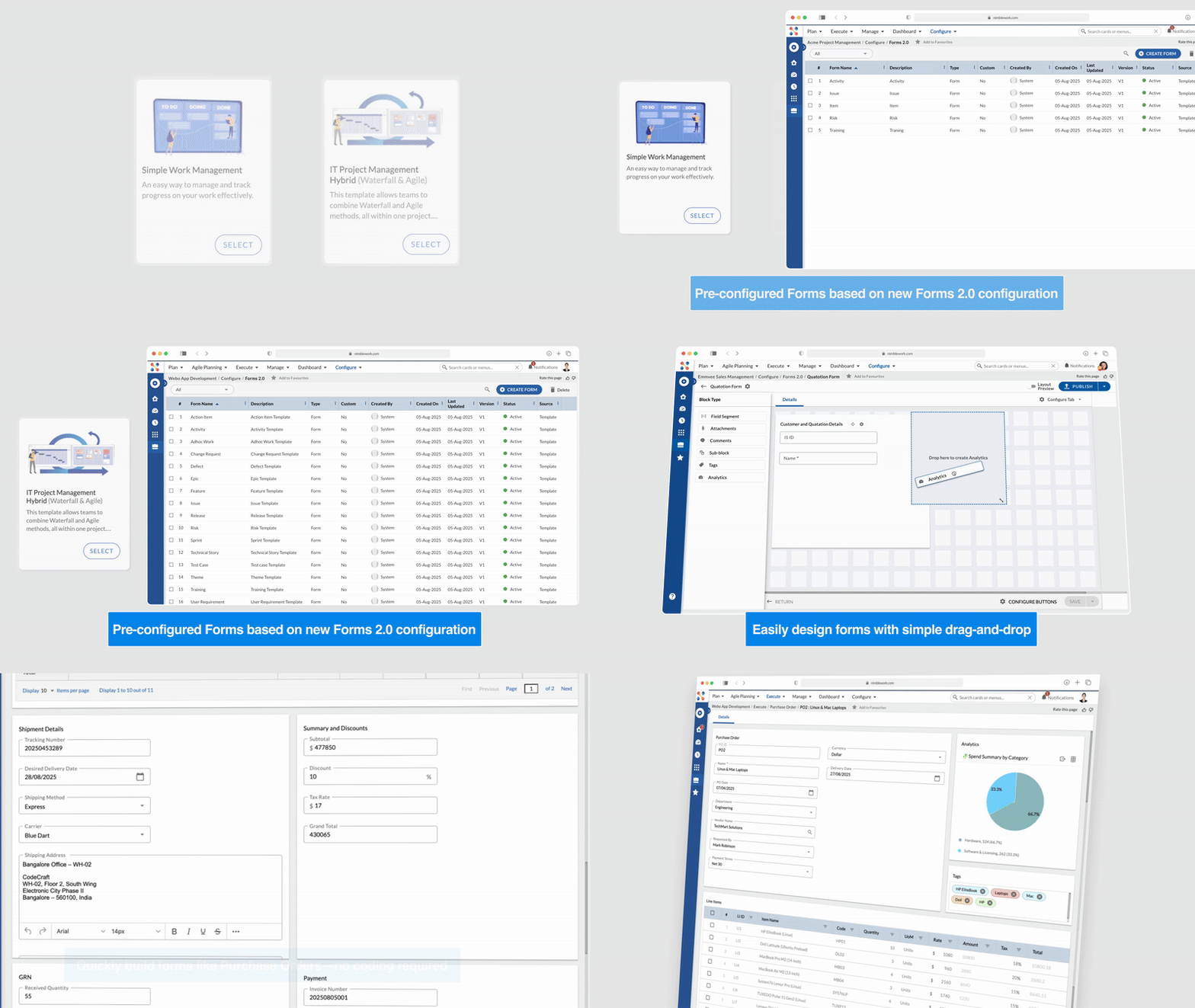
New Templates Powered by Forms 2.0
From this release onwards, new Enterprises will create projects using the following templates —
Both templates come equipped with pre-configured Forms based on our new Forms 2.0 configuration, offering a modern, flexible, and intuitive form experience right from day one.
Forms 2.0 Now on Nimble Mobile
| Forms configured using Forms 2.0 can now be accessed in Nimble mobile in a read-only mode, allowing users to view form details anytime, anywhere. Form editing capabilities will be introduced in upcoming releases. | 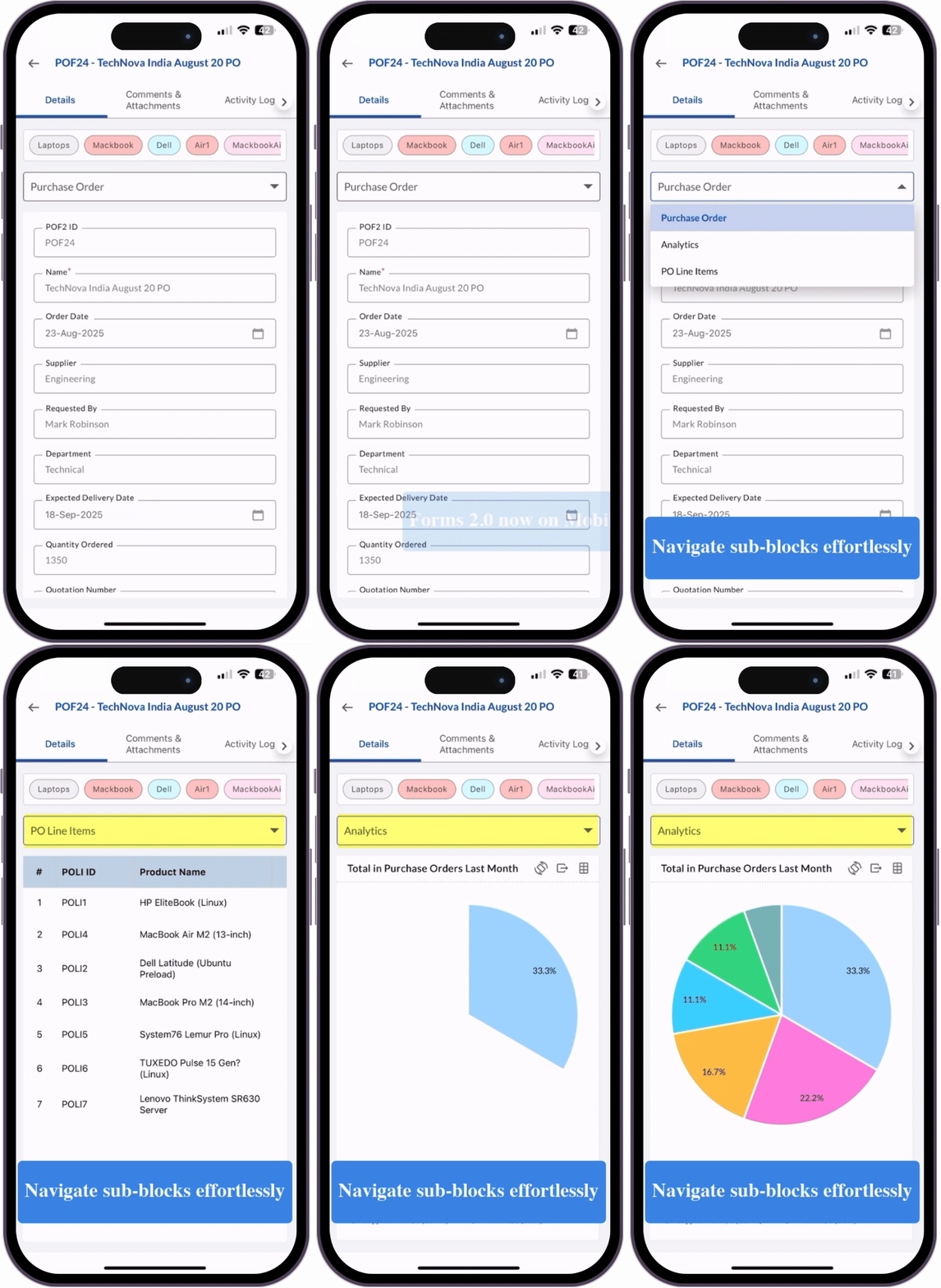 |
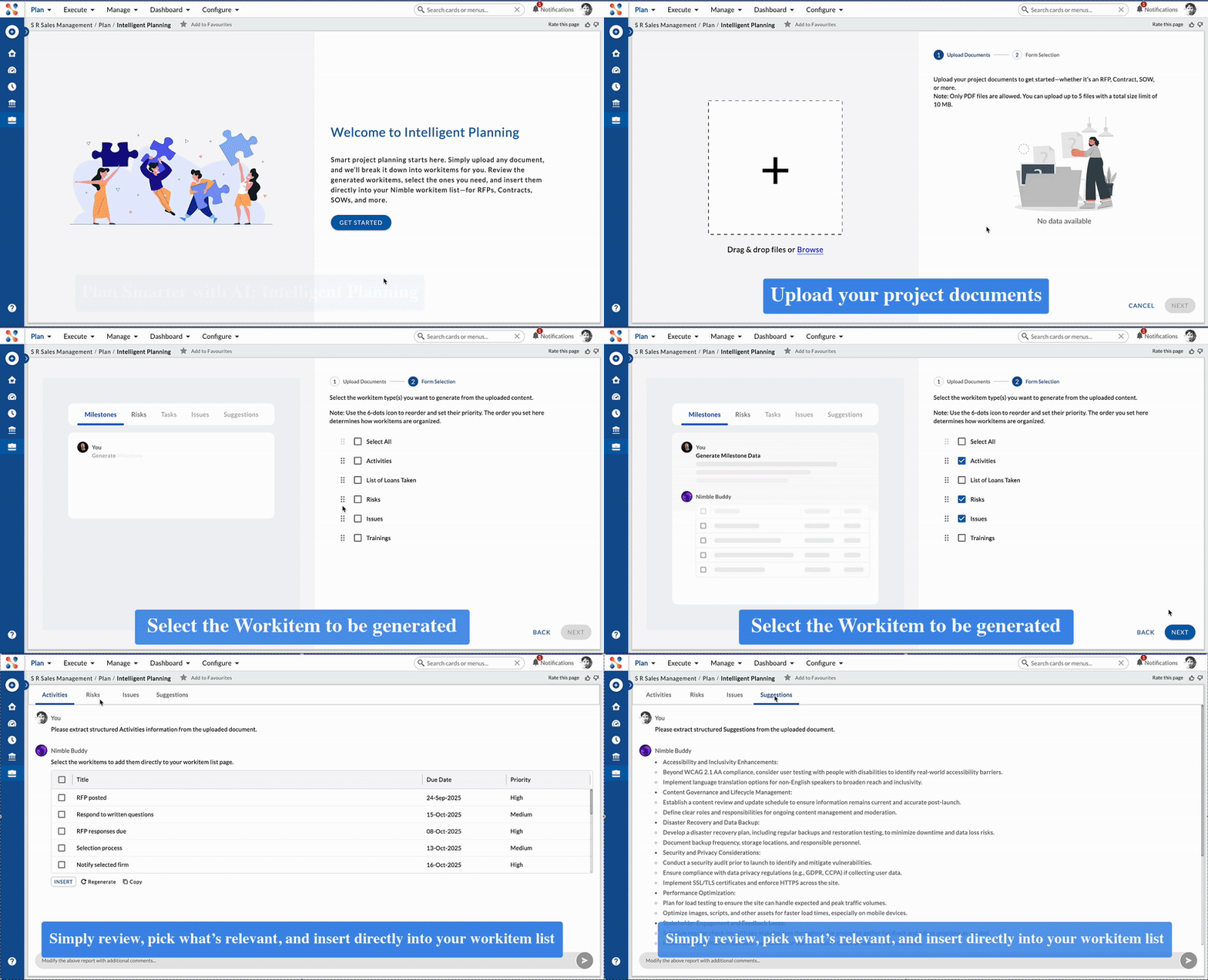
Plan Smarter with AI: Introducing Intelligent Planning
Tired of starting projects with a blank page? With Intelligent Planning, you can now jumpstart your project planning like never before.
Simply upload your RFP, SOW, contract, or any project document — and let AI do the heavy lifting. Review, select what’s relevant, and insert it directly into your Nimble workitem list. Learn more here.
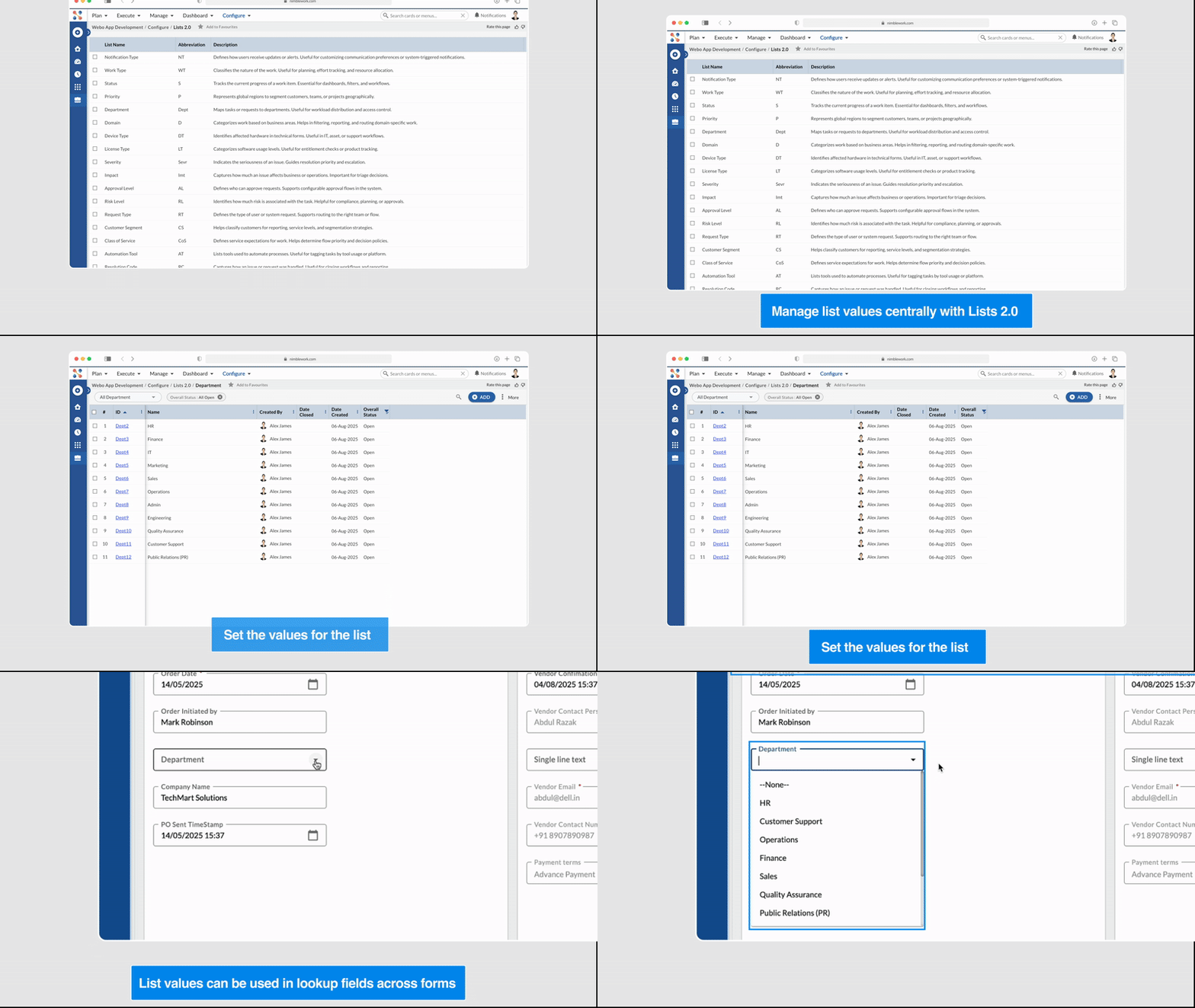
Introducing Lists 2.0!
With Lists 2.0, you can now create and manage reusable dropdown values that can be used across forms via Lookup fields.
Unlike the older eForm lists, these lists are far more flexible — you can add unlimited attributes and they fully inherit from the Nimble hierarchy (Product → Account → Template → Project).
This provides a cleaner, consistent way to manage dropdowns like priorities, departments, or locations, making centralized list management easier and more efficient. Learn more here.
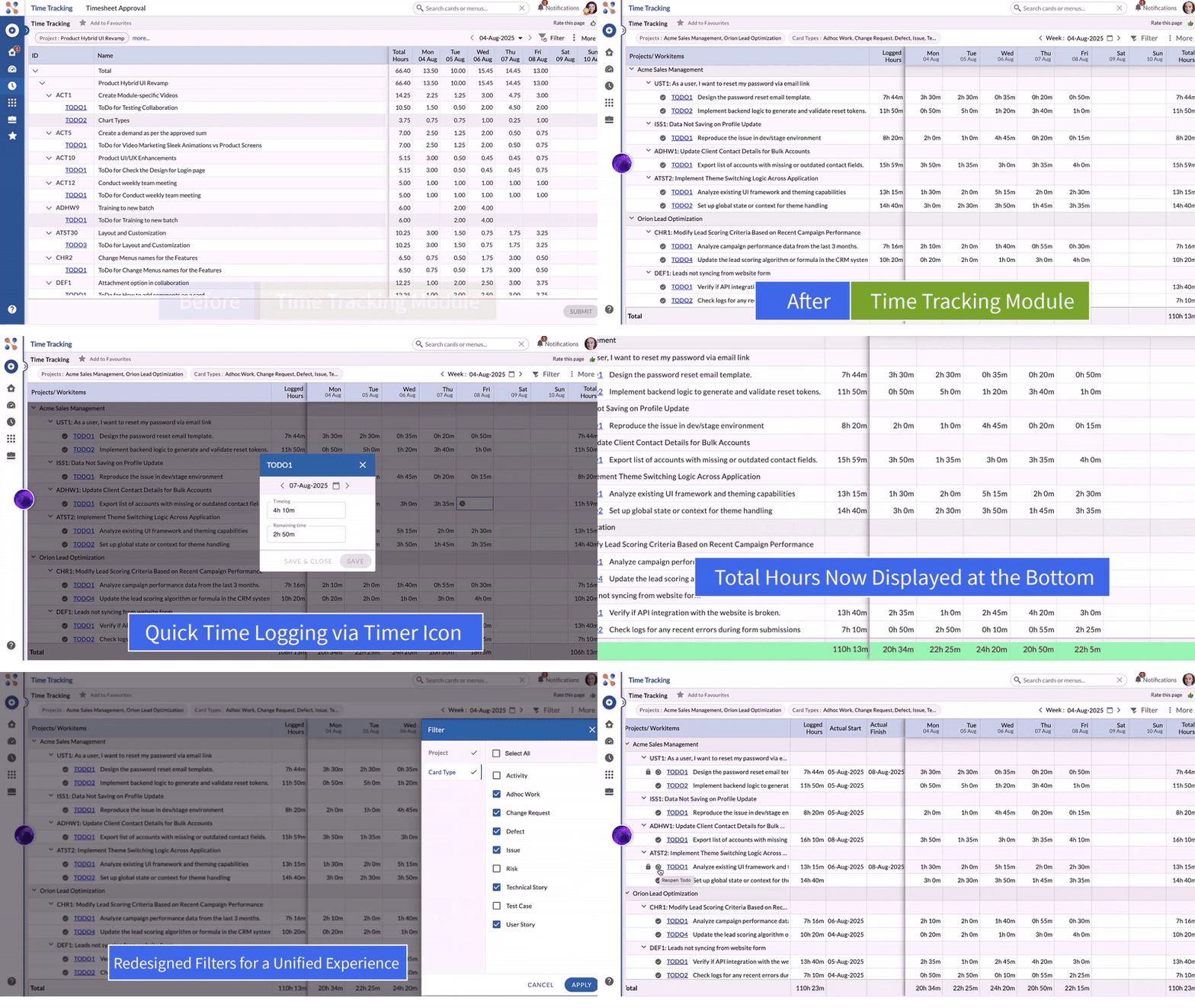
Revamped Time Tracking with Modern Architecture
The Time Tracking module has been revamped with a modern tech stack, component-based architecture, offering improved performance, faster load times, and a more seamless time entry experience. Learn more here.
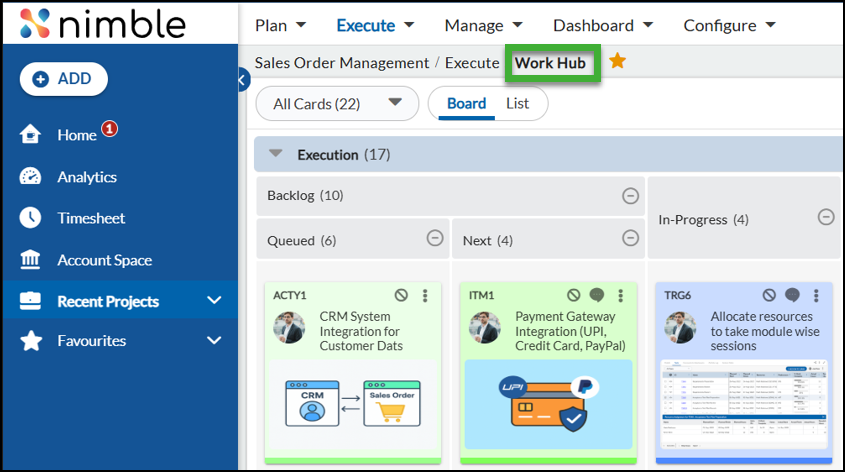
Execution Board is now Work Hub
To better reflect the versatility of Nimble across different industries and work profiles, we’ve renamed Execution Board to Work Hub.
While “Execution Board” worked well for IT-focused templates, Nimble has evolved to support a wide range of work management needs—whether you’re in marketing, operations, HR, or beyond.
With Work Hub, you still get the same powerful view of your work, but now with a name that truly represents a central space for planning, tracking, and managing any kind of work.