Overview
The Library Management System enables organizations/compaines to manage books, members, and borrowing activities in a structured way. With Forms 2.0, you (administrator) can digitize and streamline the library management. The system allows librarians to maintain accurate records of books, track book loans, calculate fines for overdue returns, and monitor both book activity and member borrowing history.
Problem Statement
You see, the traditional library management as a problem of manual record-keeping, spreadsheets, books or tools that make it difficult to maintain accurate book stock, track member borrowing, or calculate overdue fines. Common issues include:
- No clear visibility of available books
- Difficulty in maintaining borrowing history for each book
- Lack of automated fine calculation and overdue tracking
- Book details, member details, and borrowing records are not well linked.
Business Scenario
Let’s say an organization maintains an internal library for its members. The librarian is responsible for recording new books, issuing them to members, and tracking returns. Members borrow books and may sometimes return them late, resulting in fines. The librarian also needs to maintain a history of each book’s usage, including how long a member kept it.
With Forms 2.0, the library’s data is captured in four main forms: Book, Member, Book Loan, and Librarian. Each form serves a specific purpose but remains connected through lookups and formulas. For example, the Book form shows the details and availability of each book along with its borrowing history, while the Member form tracks a member’s active and past loans. The Book Loan form handles issue, return, and due dates with automated validations and fine calculations. The Librarian form records staff details for accountability in book issue/return activities.
Key Participant
The Library Administrator (Configurator) is responsible for creating different type of forms, blocks, defining field types, applying validation rules, and maintaining the form’s integrity.
Form Structure
The Library Administrator configures the Library Management forms using Nimblework’s Forms 2.0. The following forms (Book, Member, Book Loan, Librarian, and Book Stock Adjustment) were added to manage the full lifecycle of a book—from entry to return.
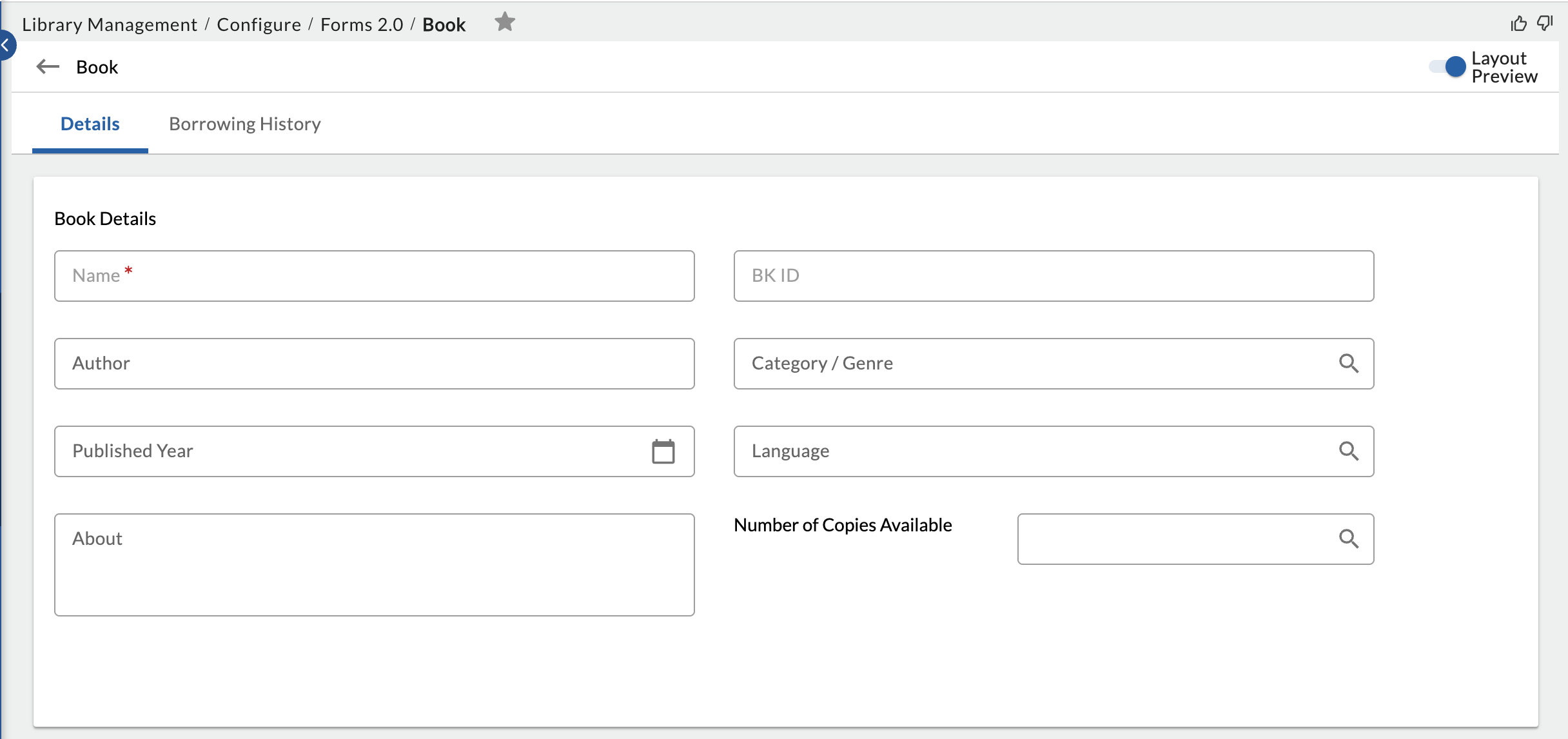
Form 1: Book
This form captures all the basic details about each book in the library. It also provides a complete log of the book’s borrowing history.
| Field | Field Type | Reason |
|---|---|---|
| Book ID | ID (Auto-generated) | A unique system ID to identify and track each catalog entry. |
| Book Name | Single Line Text | Captures the title of the book. |
| Author | Single Line Text | Captures the author name to support search and categorization. |
| Category / Genre | Lookup (from Lists 2.0) | Groups books under categories (e.g., Fiction, Technology) for filtering and reporting. |
| Published Year | Number | Captures the year of publication, useful for filtering recent titles. |
| Number of Copies | Text Label & Number | Displays available inventory for issuing decisions. |
| Language | Lookup (Lists 2.0) | Indicates the language of the book (e.g., English, Hindi) |
Form 2: Member
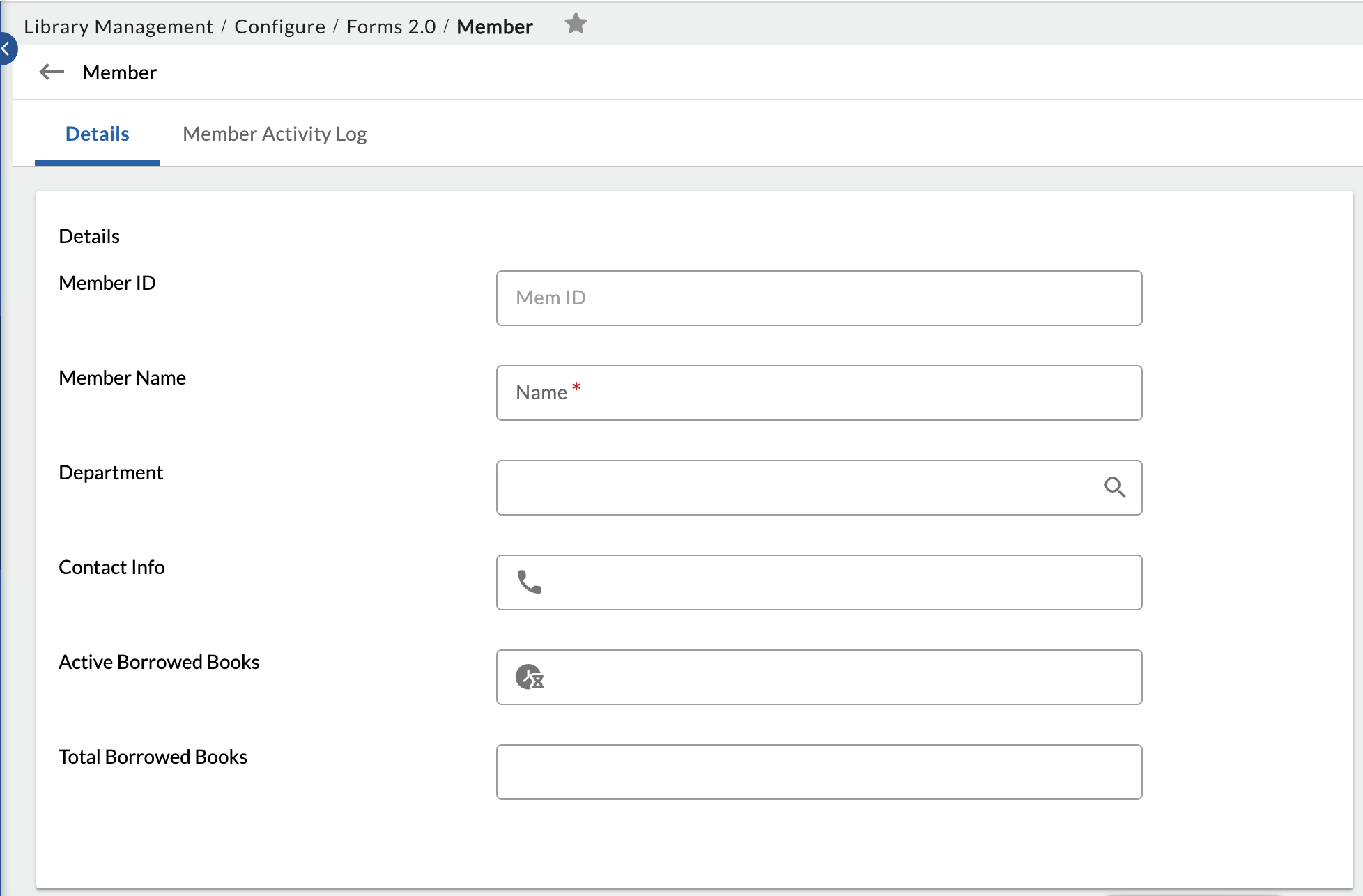
This form manages information about all organization members, including their department and other required details, along with their borrowing activity.
| Field | Field Type | Reason |
| Member ID | ID (Auto-generated) | A unique system ID to identify and track each library member. |
| Name | Single Line Text | Captures the member’s full name. |
| Department | Lookup (from Lists 2.0) | Records the department or team the member belongs to. |
| Contact Info | Single Line Text | Stores the member’s email or phone number for communication. |
| Active Borrowed Books | Formula | Shows the number of books currently borrowed and not returned. |
| Total Books Borrowed | Formula | Tracks the total number of books borrowed by the member over time. |
Form 3: Book Loan
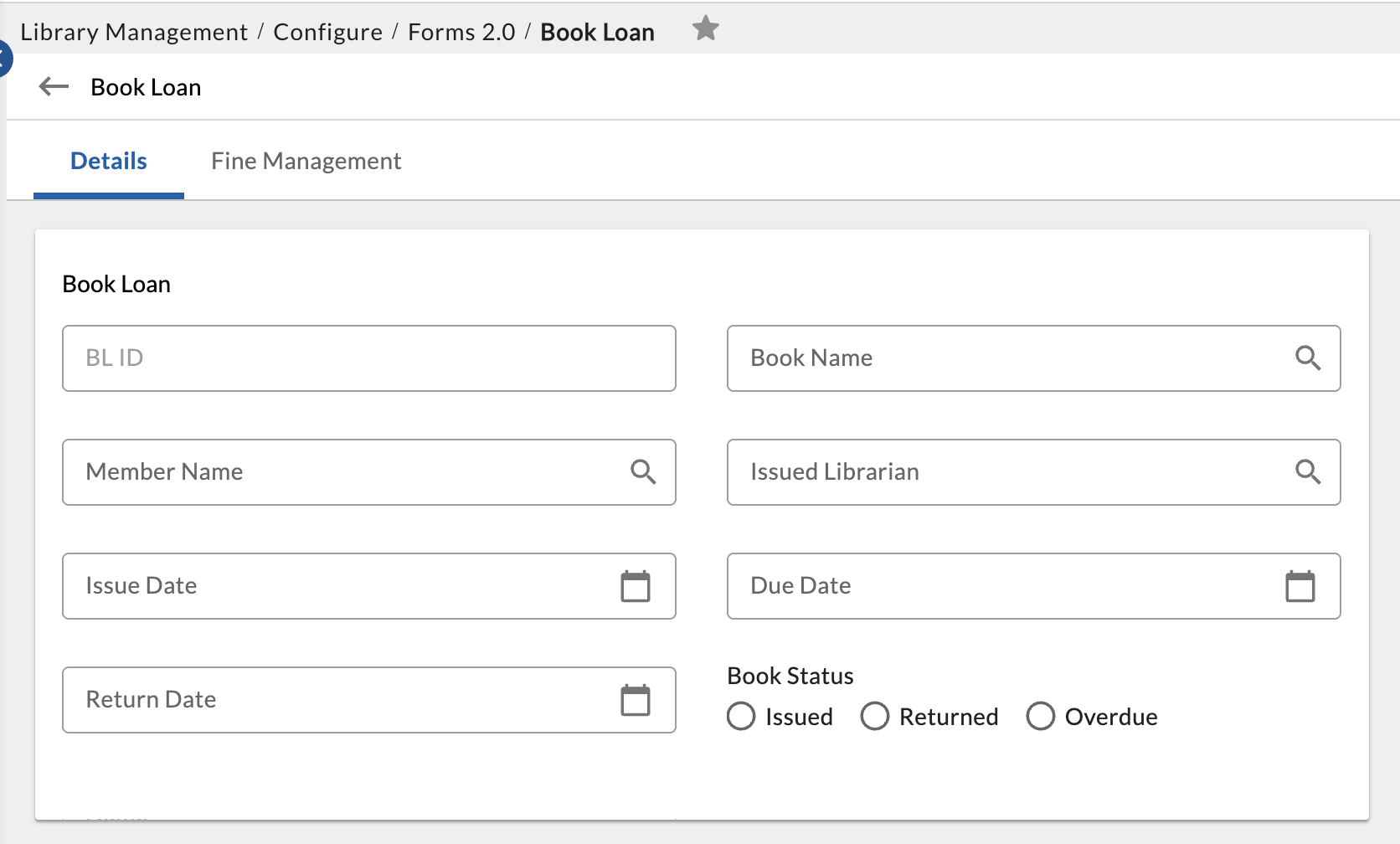
This is the central form that connects books and members during the borrowing process. It manages book issue, return, due dates, and fines.
| Field | Field Type | Reason |
| Loan ID | ID (Auto-generated) | A unique system ID to identify and track each loan transaction. |
| Book Name | Lookup | Fetches book details from the Book Form to avoid duplicate entries. |
| Member Name | Lookup | Fetches member details from the Member Form. |
| Issued Librarian | Lookup | Records which librarian issued the book, fetched from Librarian Form. |
| Issue Date | Date | Captures the date when the book is issued. |
| Due Date | Date | Captures the expected return date. |
| Return Date | Date | Captures the actual return date. |
| Book Status | Radio Group | Indicates the current status of the book (Issued, Returned, Overdue). |
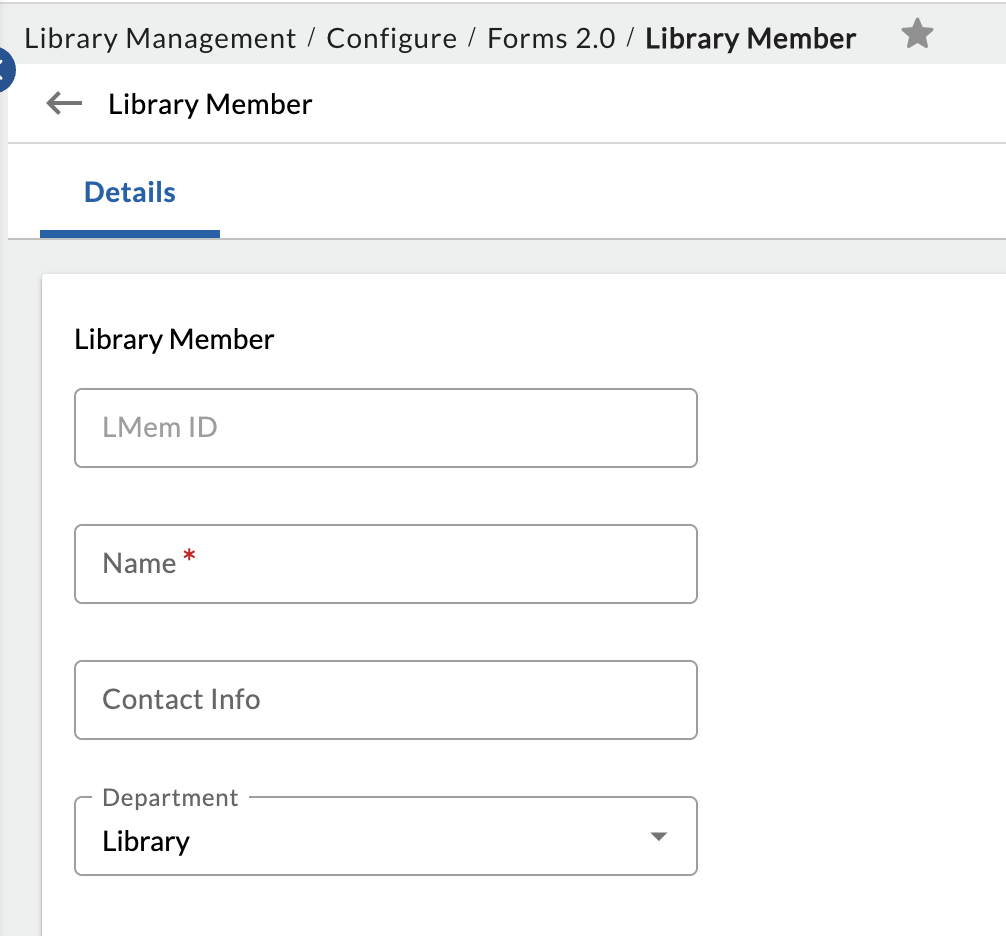
Form 4: Library Member
This form captures librarian details and also tracks the books issued and fines collected against the books by each librarian.
| Field | Field Type | Reason |
| Librarian ID | ID (Auto-generated) | A unique system ID to identify and track each librarian. |
| Name | Single Line Text | Captures the librarian’s full name. |
| Contact Info | Single Line Text | Stores the librarian’s email or phone number. |
| Department | Lookup (from Lists 2.0) | Records the department or section the librarian is responsible for. |
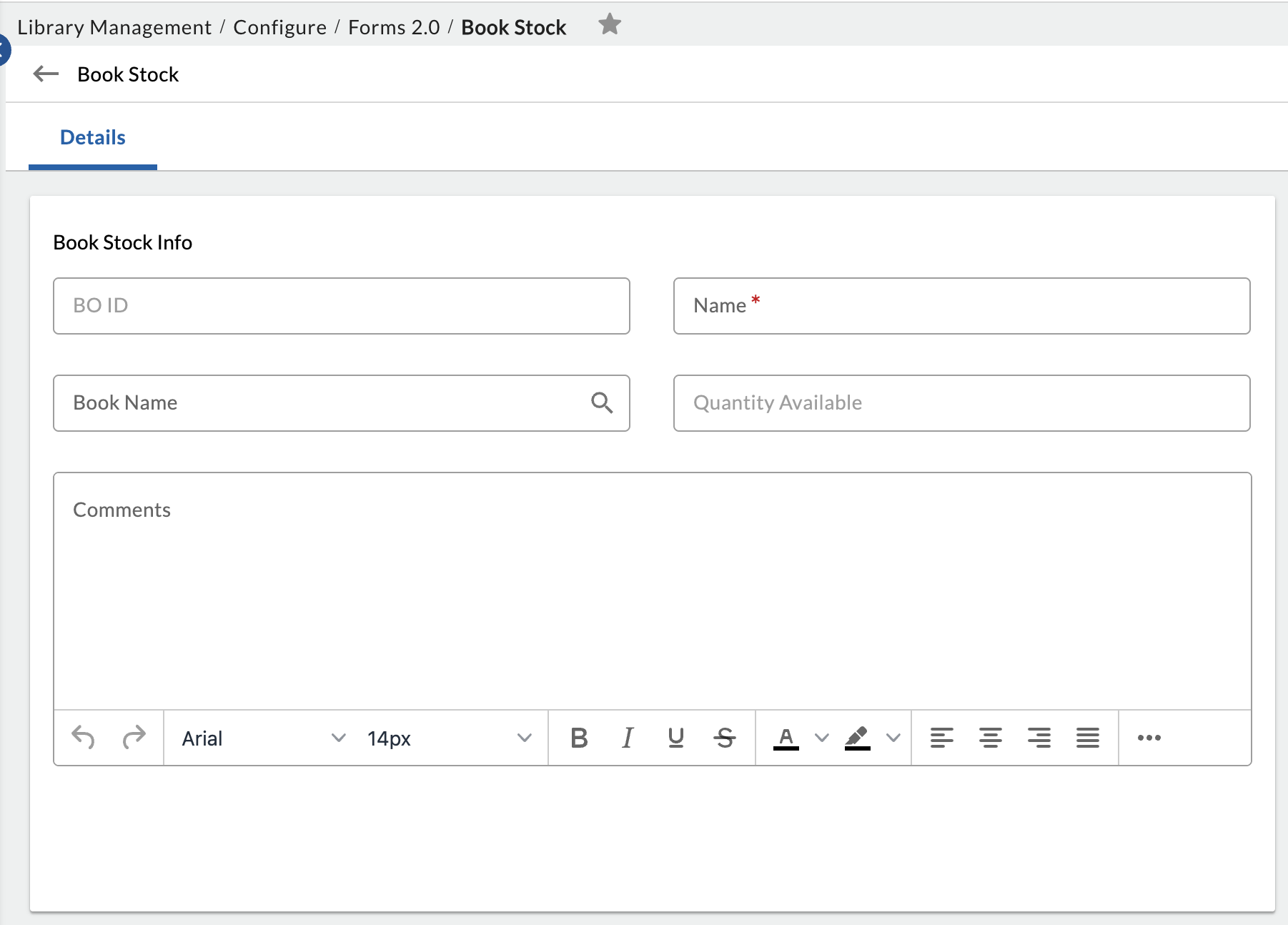
Form 5: Book Stock
This form is used to manage adjustments in book stock, such as new acquisitions, damaged or lost books, and manual corrections.
| Field | Field Type | Reason |
| Book Stock ID | ID (Auto-generated) | A unique system ID to track each stock adjustment transaction. |
| Book Name | Lookup | Fetches book details from the Book Form. |
| Book ID | Associate field from Lookup field | A unique system ID to track each stock adjustment transaction. |
| Quantity Available | Number | Specifies the number of copies available |
| Comments | Multiline Text |
You can add comments or remarks related to stock levels, such as points to consider, management tips, or information for the librarian. |