
Overview
The Intelligent Hub in Nimble is your personal AI-powered assistant that helps you understand and navigate Nimble’s features with ease. It acts as an in-app learning companion — ready to explain how different modules work, guide you through key actions, and help you discover useful capabilities you might not have explored yet.
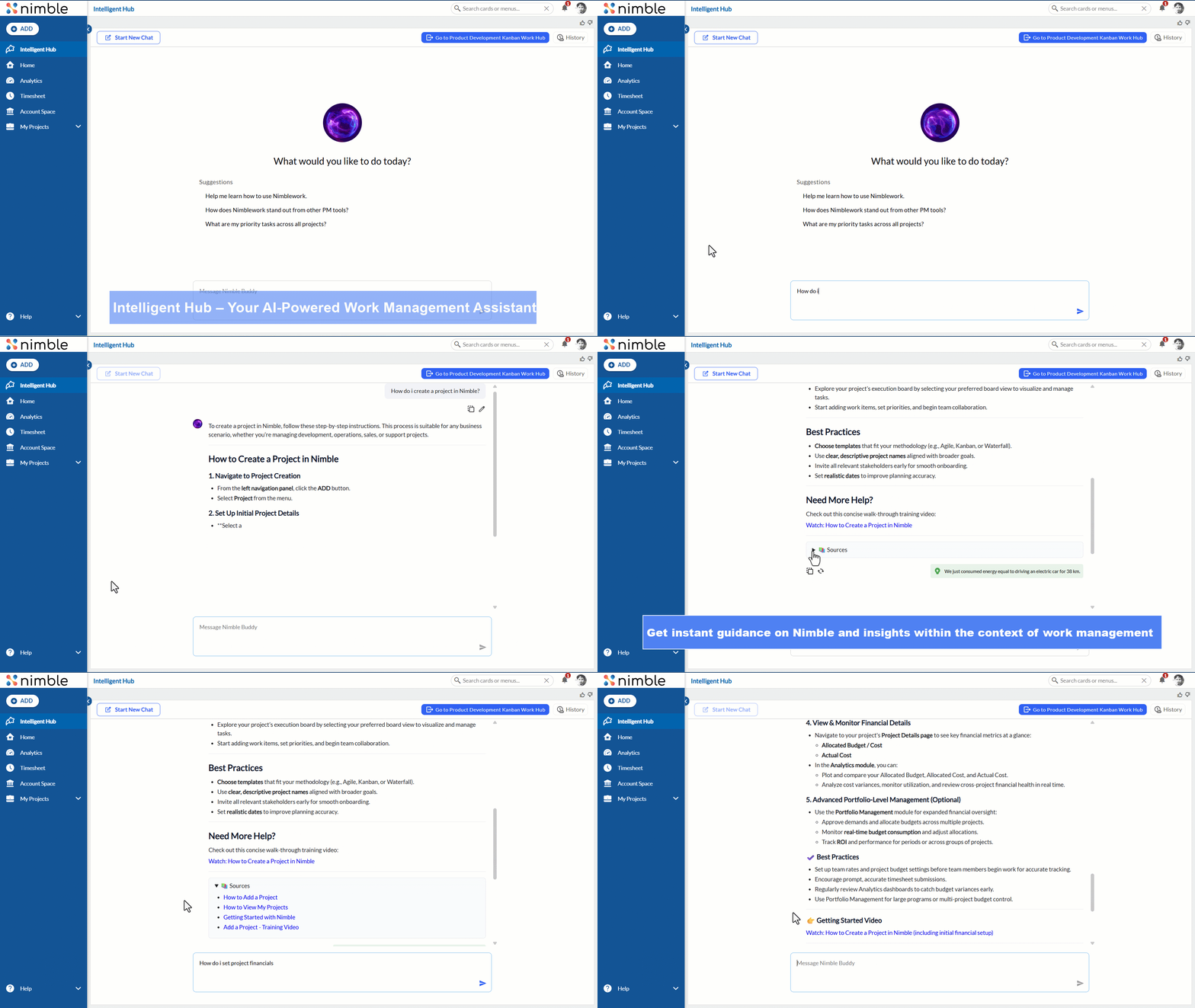
For example, you can ask,
“How do I create a Project in Nimble” or “How do I set project financials in Nimble?”
The Intelligent Hub will instantly provide clear explanations, step-by-step guidance, or direct links to the relevant areas within Nimble.
Navigation
To access the Intelligent Hub, navigate to the left navigation panel, click the Intelligent Hub icon.
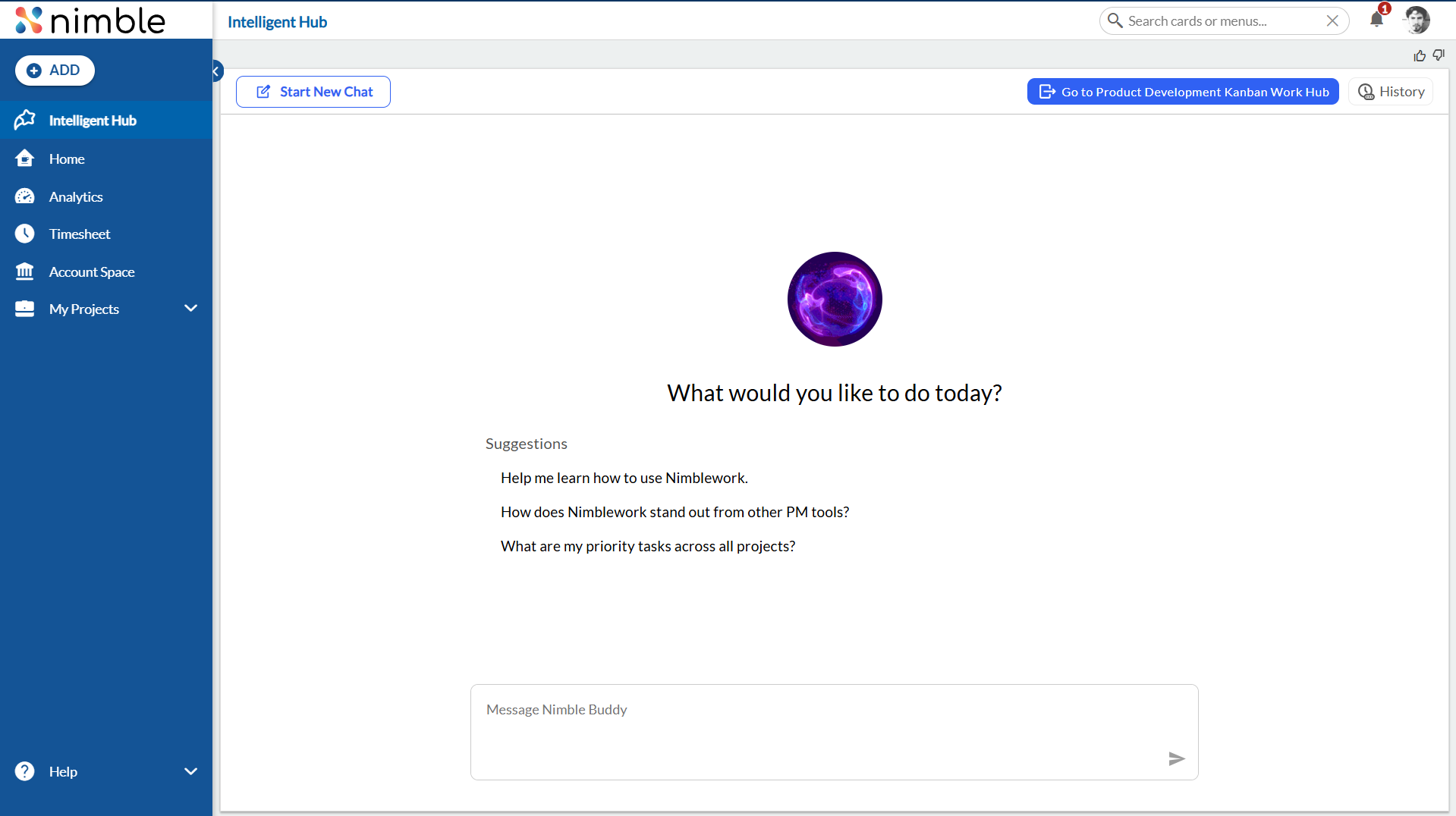
How It Works
The Intelligent Hub uses built-in AI to interpret your questions and respond contextually based on Nimble’s features and functionality.
Here’s what it does behind the scenes:
-
Understands Your Query: Interprets what you’re asking — whether it’s about a concept (like “What are OKRs?”) or a task (like “Add a card to the Work Hub”).
-
Fetches Relevant Guidance: Provides clear explanations or step-by-step instructions related to your query.
-
Suggests Next Actions: Offers quick links or recommendations to help you perform actions directly.
-
Continued Learning: The AI improves its responses over time based on user interactions, ensuring more relevant and accurate answers.
Options in Intelligent Hub
- Start a New Chat
This option allows you to begin a fresh conversation in Intelligent Planning. Use it when you want to initiate a new inquiry, exploration, or planning session without the context of previous chats. - Go to Work Hub
This option takes you back to the Work Hub of the project you last navigated from. Basically, you will see the last accessed project here. If you entered Intelligent Planning from a specific project, clicking this option will return you directly to that project’s workspace, allowing you to continue working on your tasks, Boards, and workitems. - History
The History option displays all your previously created chats and sessions. You can revisit, review, or continue any past discussions from here.
Example
Let’s say you’re new to Nimble and want to understand how to create a project.
You can simply open the Intelligent Hub and ask:
“How do I create a new project?”
The AI will respond with a short explanation of the steps, such as:
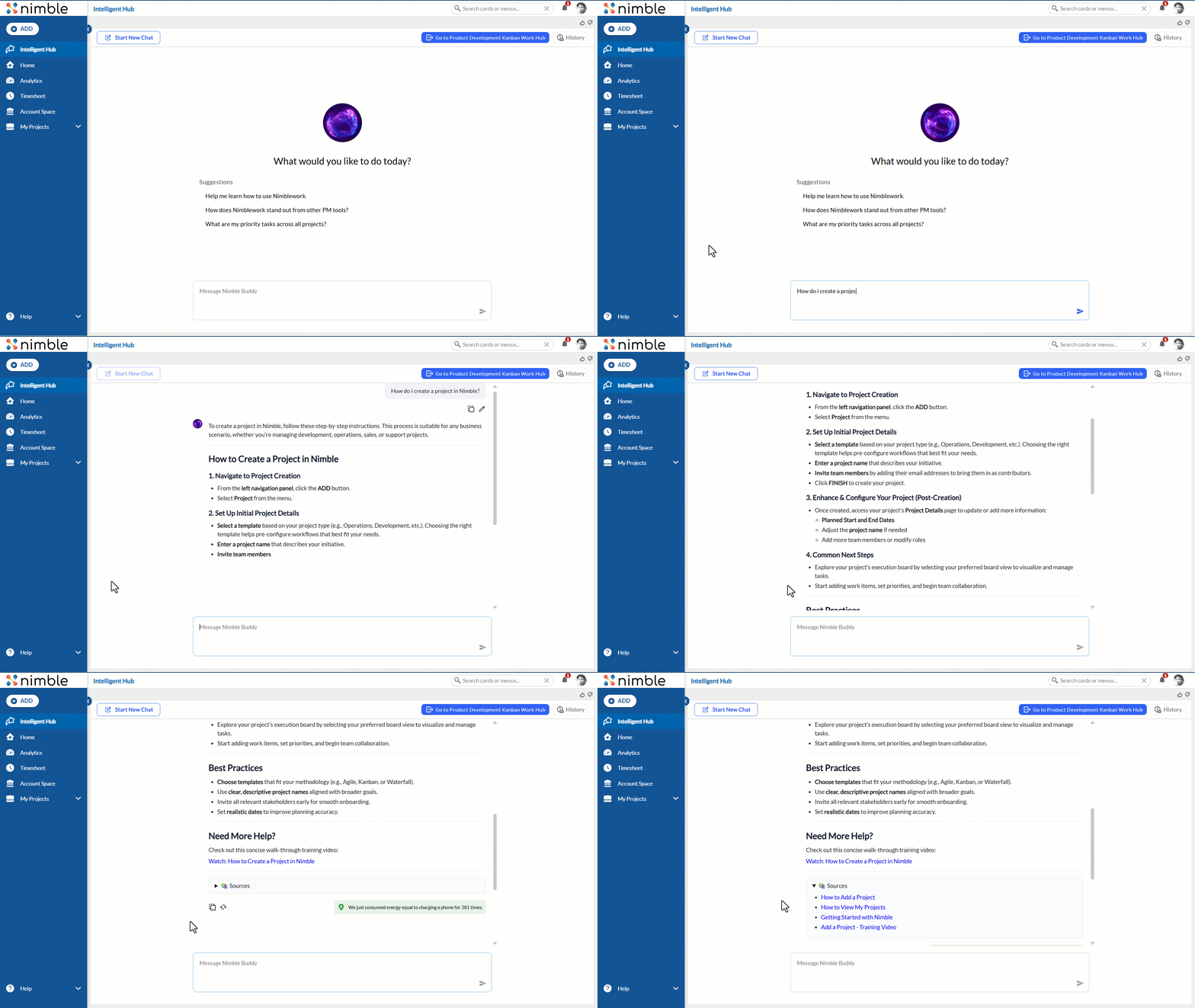
It also provides direct links to the Add a project related videos or help topics.
You can also ask questions like How many Critical priority cards across all projects? or
List the cards with the Due Date set as 31st October, 2025.


Benefits
-
Instant Help: Get answers to your questions right when you need them — no need to leave the app.
-
Self-Learning Experience: Explore and understand Nimble’s features at your own pace.
-
Contextual Guidance: Receive explanations and navigation options relevant to where you are in Nimble.
-
Saves Time: Quickly learn how to perform tasks without searching through documentation.
The Intelligent Hub is your always-available AI guide in Nimble. It helps you explore features, understand how they work, and perform actions confidently — turning learning into an interactive, in-app experience. Whether you’re setting up a project, configuring dashboards, or exploring analytics, the Intelligent Hub ensures you’re never stuck and always just one question away from the right answer.