Real-Time Editing Now Available in Tasks
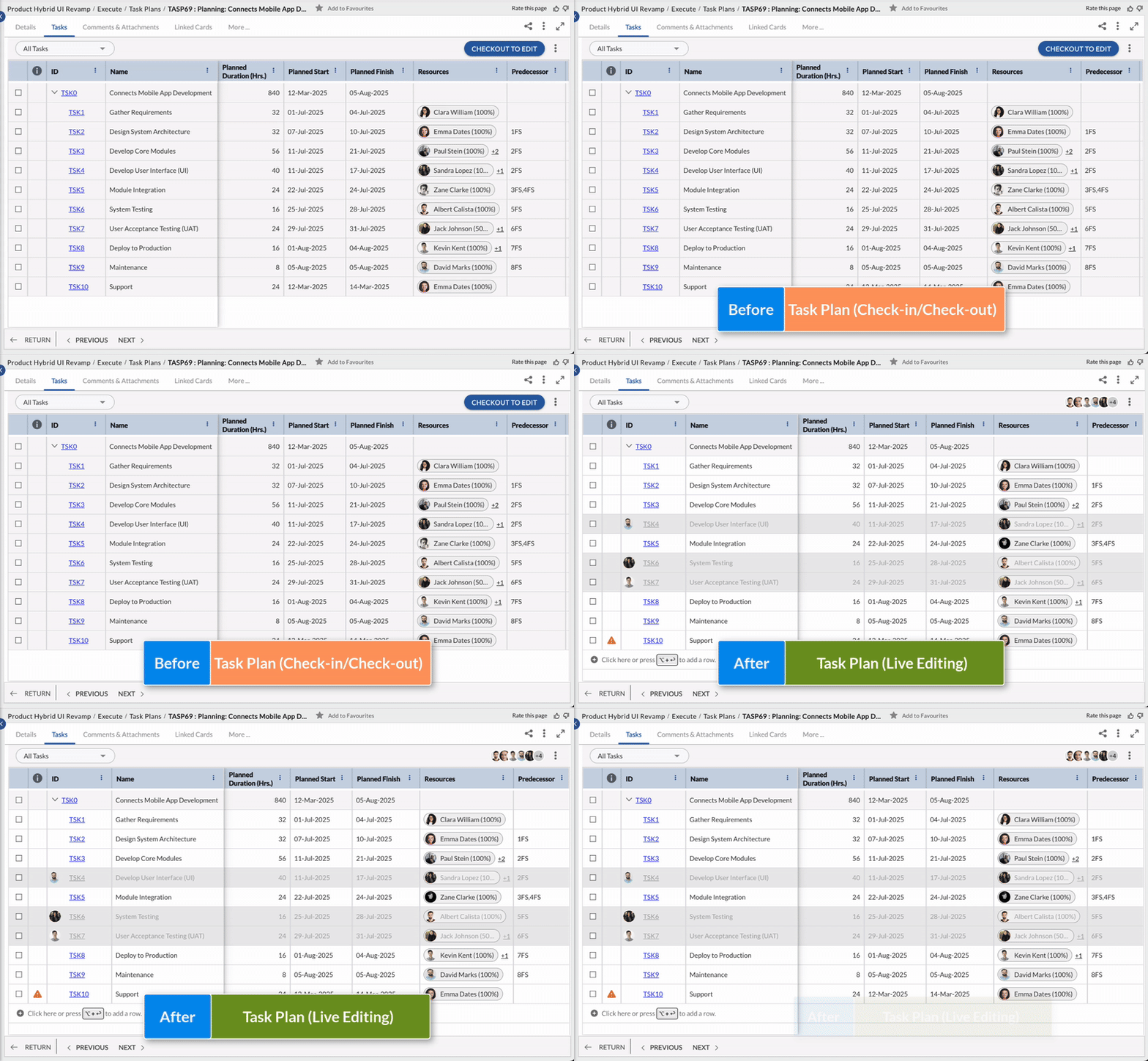
Editing your task plan is now faster and simpler. With live editing, any changes you make are saved instantly and visible to others in real time—no check-in or check-out required. Just open the Task Plan and start updating, much like editing a shared spreadsheet. You’ll also see who else is currently on the Task Plan, making real-time collaboration more effective. Learn more here.
Smart Rescheduling Based on Task Progress
The system now predicts task finish dates using actual progress. Fixed Work/Unit tasks auto-adjust, while Fixed Duration/Date tasks show a warning icon in the Info column if behind. This helps project managers act quickly, saves time, and keeps plans dynamically updated. Learn more here.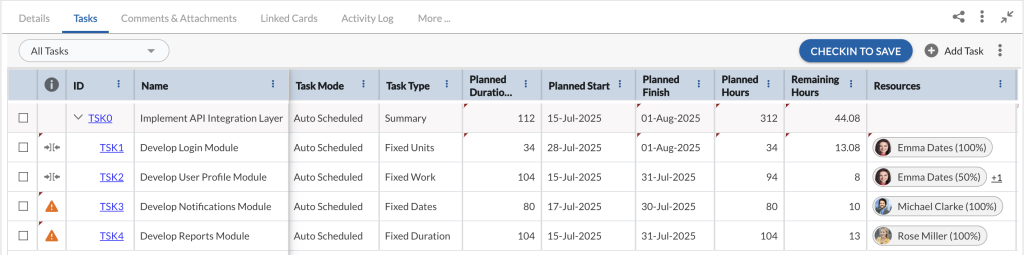
Track Kudos You Give and Receive in Nimble Café!
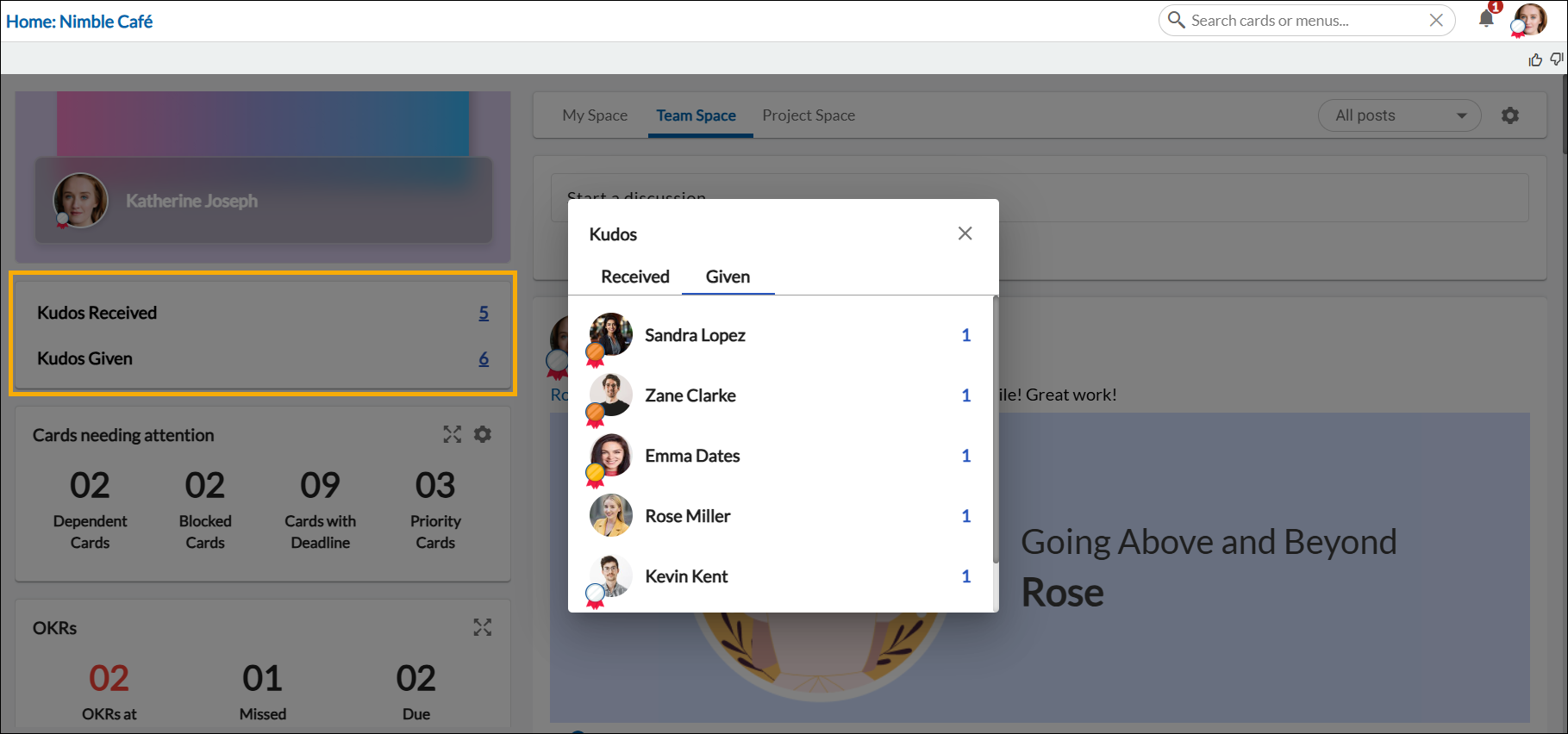
We’re excited to introduce a new enhancement to Nimble Café that helps you stay on top of appreciation and recognition in your workspace. With the new Kudos Widget, you can now:
- Easily track the Kudos you’ve received from your teammates and acknowledge how your contributions are being valued.
- View the Kudos you’ve given to others, helping you stay aware of the appreciation you’ve shared across your team.
- Get a complete history of recognition in one place, fostering a stronger sense of team bonding and personal motivation.
This enhancement promotes a culture of recognition by making it easier for you to reflect on your contributions and celebrate those of your colleagues, encouraging a positive, collaborative work environment. Learn more here.